# Password Reset
[Click here for the new youtube video on password
recovery.](https://youtu.be/YrlfscQ_3ew)
The current method to changing the superadmin password is actually to
make a new superadmin user name and password.
1. Move the config.conf file temporarily to a different Folder. Run
these commands from the server console or using SSH.
```
cd /etc/fusionpbx
mv config.conf config.conf.backup
```
:::{note}
In older installations of FusionPBX config.php is located in /var/www/fusionpbx/resources/
:::
2. In a web browser go to your server by the IP address or domain name.
examples:
>
>
>
3. Create a New Superadmin user and password. The new must not be an
existing username.

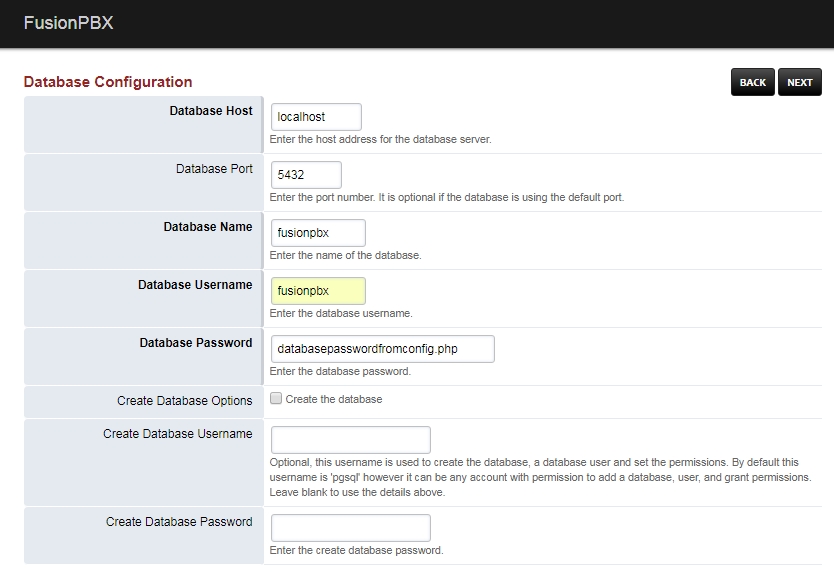
4. Database Host, Database Port, and Database name should auto-fill. To
provide the Database Username and Database Password, locate them in
the config.conf file that was moved earlier. The code block below
shows an easy way to retrieve the database password. Once those are
filled in, click next.
```
cat /etc/fusionpbx/config.conf.backup | grep password
```
- Result: $db_password = 'yourDatabasePassword';
You should now have a new config.conf file in the /etc/fusionpbx/
directory.
5. Login in with the new username and password.