This api does not have to be used after the target. If no target is specified, it will be set to global mode. .
### target:set_enabled #### Enable or disable target If `set_enabled(false)` is set, the corresponding target will be directly disabled, including target loading and information acquisition, while [set_default](#targetset_default) is just set to not compile by default, but the target can still get related information. , the default will also be loaded. ### target:set_default #### Mark as default target This interface is used to set whether the given project target is the default build. If this interface is not called for setting, then this target is built by default, for example: ```lua target("test1") set_default(false) target("test2") set_default(true) target("test3") ... ``` The three goals of the above code, when executing the `xmake`, `xmake install`, `xmake package`, `xmake run` and other commands, if you do not specify the target name, then: | Target Name | Behavior | | ------ | -------------------------------- | | test1 | will not be built, installed, packaged, and run by default | | test2 | Default build, install, package, and run | | test3 | Default build, install, package, and run | Through the above example, you can see that the default target can be set more than one, and it will run in turn when running.Note that the `xmake uninstall` and `xmake clean` commands are not affected by this interface setting, as most users prefer to clean and unload all of them.
If you don't want to use the default target, you can manually specify which targets you need to build the installation: ```bash $ xmake build targetname $ xmake install targetname ``` If you want to force the build to install all targets, you can pass in the `[-a|--all]` parameter: ```bash $ xmake build [-a|--all] $ xmake install [-a|--all] ``` ### target:set_options #### Set configuration options Add option dependencies. If you have customized some options through the [option](#option) interface, you can add associations only if you specify this option under the target target field. ```lua -- Define a hello option option("hello") set_default(false) set_showmenu(true) add_defines("HELLO_ENABLE") target("test") -- If the hello option is enabled, this time the -DHELLO_ENABLE macro will be applied to the test target. set_options("hello") ``` !> Some settings defined in [option](#option) will affect this `target` target only after calling `set_options` for the association to take effect, such as macro definitions, link libraries, compile options, etc. ### target:set_symbols #### Set symbol info Set the symbol mode of the target. If no target is currently defined, it will be set to the global state, affecting all subsequent targets. At present, we mainly support several levels: | Value | Description | gcc/clang | msvc | | ------ | ---------------------- | ----- | ---- | | debug | Add debugging symbols | -g | /Zi /Pdxxx.pdb | | debug, edit | Only for msvc, used with debug level | Ignore | /ZI /Pdxxx.pdb | | debug, embed | Only for msvc, used with debug level | Ignore | /Z7 | | hidden | Set symbol invisible | -fvisibility=hidden | Ignore | These two values can also be set at the same time, for example: ```lua -- add debug symbols, set symbols are not visible set_symbols("debug", "hidden") ``` If this api is not called, the debug symbol is disabled by default. . !> In v2.3.3 and above, you can automatically generate independent debugging symbols by setting at the same time with `set_strip("all")`. For example, for iOS programs, it is a .dSYM file, for Android and other programs, it is .sym Symbol file. If target sets both of the following settings, symbol file generation will be enabled ```lua target("test") set_symbols("debug") set_strip("all") ``` For the built-in release mode, symbol generation is not enabled by default, it is just the strip targetfile. If you want to enable it, you only need to enable the debug symbol, because mode.release internally has strip enabled by default. ```lua add_rules("mode.release") target("test") set_symbols("debug") ``` The ios program will generate a .dSYM file, and then Strip itself symbol ```console [62%]: linking.release libtest.dylib [62%]: generating.release test.dSYM ``` The android program will generate a .sym file (actually a symbolic so/binary program), and then strip itself ```console [62%]: linking.release libtest.so [62%]: generating.release test.sym ``` In v2.3.9 and above, two additional symbol levels, `edit` and `embed` have been added, which need to be combined with `debug` levels to further subdivide the debugging symbol format of the msvc compiler, for example: ```lua set_symbols("debug", "edit") ``` It will switch from the default `-Zi -Pdxxx.pdb` to `-ZI -Pdxxx.pdb` compilation option, enable `Edit and Continue` debugging symbol format information, of course, this will not affect the processing of gcc/clang, so it is Fully compatible. ### target:set_basename #### Set the base name of target file By default, the generated target file name is based on the value configured in `target("name")`, for example: ```lua -- The target file name is: libxxx.a target("xxx") set_kind("static") -- The target file name is: libxxx2.so target("xxx2") set_kind("shared") ``` The default naming method basically meets the needs of most situations, but if you want to customize the target file name sometimes For example, to distinguish the target name by compile mode and architecture, this time you can use this interface to set: ```lua target("xxx") set_kind("static") set_basename("xxx_$(mode)_$(arch)") ``` if this time, the build configuration is: `xmake f -m debug -a armv7`, then the generated file name is: `libxxx_debug_armv7.a` If you want to further customize the directory name of the target file, refer to: [set_targetdir](#targetset_targetdir). Or implement more advanced logic by writing custom scripts, see: [after_build](#targetafter_build) and [os.mv](/manual/builtin_modules?id=osmv). ### target:set_filename #### Set the full name of target file The difference between it and [set_basename](#targetset_basename) is that [set_basename](#targetset_basename) sets the name without a suffix and a prefix, for example: `libtest.a`, if the basename is changed to test2, it becomes `libtest2.a `. The modification of filename is to modify the entire target file name, including the prefix and suffix. For example, you can directly change `libtest.a` to `test.dll`, which is not available for [set_basename](#targetset_basename). ### target:set_prefixname #### Set the leading name of the target file Only supported after version 2.5.5, you can modify the prefix name of the target file, for example, change the default: `libtest.so` to `test.so` ```lua target("test") set_prefixname("") ``` ### target:set_suffixname #### Set the postname of the target file Only supported after version 2.5.5, you can modify the postname of the target file, for example, change the default: `libtest.so` to `libtest-d.so` ```lua target("test") set_suffixname("-d") ``` ### target:set_extension #### Set the extension of the target file Only supported after version 2.5.5, you can modify the extension of the set target file, for example, change the default: `libtest.so` to `test.dll` ```lua target("test") set_prefixname("") set_extension(".dll") ``` ### target:set_warnings #### Set compilation warning level Set the warning level of the compilation of the current target, generally supporting several levels: | Value | Description | gcc/clang | msvc | | ----- | ---------------------- | ---------- | ----------------------------- | | none | disable all warnings | -w | -W0 | | less | Enable fewer warnings | -W1 | -W1 | | more | Enable more warnings | -W3 | -W3 | | extra | Enable extra warnings | -Wextra | | | pedantic | Enable non-standard warnings | -Wpedantic | | | all | Enable all warnings | -Wall | -W3 | | allextra | Enable all warnings + extra warnings | -Wall -Wextra | -W4 | | everything | Enable all supported warnings | -Wall -Wextra -Weffc++ / -Weverything | -Wall | | error | Use all warnings as compilation errors | -Werror | -WX | The parameters of this api can be added in combination, for example: ```lua -- Enable all warnings and handle them as compilation errors set_warnings("all", "error") ``` If there is no target currently, calling this api will set it to global mode. . ### target:set_optimize #### Set competition optimization level Set the compile optimization level of the target. If no target is currently set, it will be set to the global state, affecting all subsequent targets. At present, we mainly support several levels: | Value | Description | gcc/clang | msvc | | ---------- | ---------------------- | ---------- | ------------ | | none | disable optimization | -O0 | -Od | | fast | quick optimization | -O1 | default | | faster | faster optimization | -O2 | -O2 | | fastest | Optimization of the fastest running speed | -O3 | -Ox -fp:fast | | smallest | Minimize code optimization | -Os | -O1 -GL | | aggressive | over-optimization | -Ofast | -Ox -fp:fast | E.g: ```lua -- Optimization of the fastest running speed set_optimize("fastest") ``` ### target:set_languages #### Set source code language standards Set the language standard for target code compilation. If no target exists, it will be set to global mode. . . The supported language standards currently have the following main ones: | Value |C language standard| |----------|-------------------| | `ansi` |`ansi` | | `c89` |`c89` | | `gnu89` |`gnu89` | | `c90` |`c90` | | `gnu90` |`gnu90` | | `c99` |`c99` | | `gnu99` |`gnu99` | | `c11` |`c11` | | `c17` |`c17` | | `clatest`|`clatest` | |Value |C++ language standard | |-------------|----------------------| |`cxx98` |`c++98` | |`gnuxx98` |`gnu++98` | |`cxx03` |`c++03` | |`gnuxx03` |`gnu++03` | |`cxx11` |`c++11` | |`gnuxx11` |`gnu++11` | |`cxx14` |`c++14` | |`gnuxx14` |`gnu++14` | |`cxx1z` |`c++1z` | |`gnuxx1z` |`gnu++1z` | |`cxx17` |`c++17` | |`gnuxx17` |`gnu++17` | |`cxx20` |`c++20` | |`gnuxx20` |`gnu++20` | |`cxx2a` |`c++2a` | |`gnuxx2a` |`gnu++2a` | |`cxx23` |`c++23` | |`gnuxx23` |`gnu++23` | |`cxx2b` |`c++2b` | |`gnuxx2b` |`gnu++2b` | |`cxxlatest` |`c++latest` | |`gnuxxlatest`|`gnu++latest` | The c standard and the c++ standard can be set at the same time, for example: ```lua -- Set c code standard: c99, c++ code standard: c++11 set_languages("c99", "cxx11") ``` It is not that a specified standard is set, and the compiler will compile according to this standard. After all, each compiler supports different strengths, but xmake will try its best to adapt to the support standards of the current compilation tool. The msvc compiler does not support compiling c code according to the c99 standard, and can only support c89, but xmake supports it as much as possible, so after setting the c99 standard, xmake will force the c++ code mode to compile c code , To a certain extent, it solves the problem of compiling c99 c code under windows. . The user does not need to make any additional changes. However, the latest msvc compilation already supports the c11/c17 standard, and xmake will not do additional special processing. ### target:set_fpmodels #### Set float-point compilation mode This interface is used to set the floating-point compilation mode and the compilation abstract settings for mathematical calculation related optimizations. It provides several commonly used levels such as fast, strict, except, precise, etc. Some of them can be set at the same time, and some are conflicting. Effective. For the description of these levels, you can refer to the Microsoft document: [Specify floating-point behavior](https://docs.microsoft.com/en-us/cpp/build/reference/fp-specify-floating-point-behavior ?view=vs-2019) Of course, for other compilers such as gcc/icc, xmake will map to different compilation flags. ```lua set_fpmodels("fast") set_fpmodels("strict") set_fpmodels("fast", "except") set_fpmodels("precise") - default ``` For details about this, see: [https://github.com/xmake-io/xmake/issues/981](https://github.com/xmake-io/xmake/issues/981) ### target:set_targetdir #### Set output directories for target files Set the output directory of the target program file. Under normal circumstances, you do not need to set it. The default output will be in the build directory. The build directory can be manually modified during project configuration: ```bash xmake f -o /tmp/build ``` After modifying to `/tmp/build`, the target file is output to `/tmp/build` by default. And if you use this interface to set, you don't need to change the command every time, for example: ```lua target("test") set_targetdir("/tmp/build") ``` !> If the display sets `set_targetdir`, then the directory specified by `set_targetdir` is preferred as the output directory of the target file. Starting from 3.0, we can also configure the subdirectories of the build output such as bindir, libdir, includedir, etc., for example: ```lua target("test") set_kind("shared") add_files("src/x.cpp") set_targetdir("$(builddir)/out", { bindir = "bin", libdir = "lib" }) ``` ### target:set_objectdir #### Set output directories for object files Set the output directory of the object file (`*.o/obj`) of the target target, for example: ```lua target("test") set_objectdir("$(buildir)/.objs") ``` ### target:set_dependir #### Set output directories for dependent files Set the output directory of the compile dependency file (`.deps`) of the target target, for example: ```lua target("test") set_dependir("$(buildir)/.deps") ``` ### target:add_imports #### Add imports modules for the custom script Usually, we can import extension modules via `import("core.base.task")` inside a custom script such as [on_build](#targeton_build). However, in the case of a large number of custom scripts, each custom script is repeatedly imported again, which is very cumbersome. Then you can implement pre-import through this interface, for example: ```lua target("test") on_load(function (target) import("core.base.task") import("core.project.project") task.run("xxxx") end) on_build(function (target) import("core.base.task") import("core.project.project") task.run("xxxx") end) on_install(function (target) import("core.base.task") import("core.project.project") task.run("xxxx") end) ``` This interface can be simplified to: ```lua target("test") add_imports("core.base.task", "core.project.project") on_load(function (target) task.run("xxxx") end) on_build(function (target) task.run("xxxx") end) on_install(function (target) task.run("xxxx") end) ``` ### target:add_rules #### Add custom compilation rule to target We can extend the build support for other files by pre-setting the file suffixes supported by the rules: ```lua -- Define a build rule for a markdown file rule("markdown") set_extensions(".md", ".markdown") on_build(function (target, sourcefile) os.cp(sourcefile, path.join(target:targetdir(), path.basename(sourcefile) .. ".html")) end) target("test") set_kind("binary") -- Make the test target support the construction rules of the markdown file add_rules("markdown") -- Adding a markdown file to build add_files("src/*.md") add_files("src/*.markdown") ``` We can send arguments to rule in add_rules: ```lua rule("my_rule") on_load(function (target) local my_arg = target:extraconf("rules", "my_rule", "my_arg") -- "my arg" end) target("test") add_rules("my_rule", { my_arg = "my arg"}) ``` We can also specify the application of local files to the rules, see: [add_files](#targetadd_files). ### target:on_load #### Run custom load target configuration script This script will be executed when the target is initialized and loaded, and some dynamic target configurations can be made to achieve more flexible target description definitions, for example: ```lua target("test") on_load(function (target) target:add("defines", "DEBUG", "TEST=\"hello\"") target:add("linkdirs", "/usr/lib", "/usr/local/lib") target:add({includedirs = "/usr/include", "links" = "pthread"}) end) ``` You can dynamically add various target attributes in `on_load` via `target:set`, `target:add`. ### target:on_config #### custom configuration script After `xmake config` is executed, this script is executed before Build, which is usually used for configuration work before compilation. It differs from on_load in that on_load is executed as soon as the target is loaded, and the execution timing is earlier. If some configuration cannot be configured prematurely in on_load, it can be configured in on_config. In addition, its execution time is earlier than before_build, and the approximate execution flow is as follows: ``` on_load -> after_load -> on_config -> before_build -> on_build -> after_build ``` ### target:on_link #### Run custom link target script This is a new interface after v2.2.7, which is used to customize the link process of the target. ```lua target("test") on_link(function (target) print("link it") end) ``` ### target:on_build #### Run custom build target script Override the target build behavior of the target target, implement a custom compilation process, in general, do not need to do this, unless you really need to do some compiler operations that xmake does not provide by default. You can override it by following the steps below to customize the compilation: ```lua target("test") -- Set up custom build scripts on_build(function (target) print("build it") end) ``` Note: After version 2.1.5, all target custom scripts can be processed separately for different platforms and architectures, for example: ```lua target("test") on_build("iphoneos|arm*", function (target) print("build for iphoneos and arm") end) ``` If the first parameter is a string, then it is specified in which platform_architecture the script needs to be executed, and mode matching is supported, for example, `arm*` matches all arm architectures. Of course, you can also set the platform only, do not set the architecture, this is to match the specified platform, execute the script: ```lua target("test") on_build("windows", function (target) print("build for windows") end) ``` !> Once the build process is set for this target target, the default build process for xmake will no longer be executed. ### target:on_build_file #### Run custom build single file script Through this interface, you can use hook to specify the built-in build process of the target, replacing each source file compilation process: ```lua target("test") set_kind("binary") add_files("src/*.c") on_build_file(function (target, sourcefile, opt) end) ``` If you don't want to rewrite the built-in build script, just add some of your own processing before and after compiling. Its utility: [target.before_build_file](#targetbefore_build_file) and [target.after_build_file](#targetafter_build_file) will be more convenient and you don't need to call it. Opt.origin`. ### target:on_build_files #### Run custom build files script Through this interface, you can use hook to specify the built-in build process of the target, and replace a batch of the same type of source file compilation process: ```lua target("test") set_kind("binary") add_files("src/*.c") on_build_files(function (target, sourcebatch, opt) end) ``` After setting this interface, the corresponding file in the source file list will not appear in the custom [target.on_build_file](#targeton_build_file), because this is an inclusion relationship. Where sourcebatch describes the same source files of the same type: * `sourcebatch.sourcekind`: Get the type of this batch of source files, for example: cc, as, .. * `sourcebatch.sourcefiles()`: get the list of source files * `sourcebatch.objectfiles()`: get the list of object files * `sourcebatch.dependfiles()`: Get the list of corresponding dependent files, compile dependency information in the stored source file, for example: xxx.d ### target:on_clean #### Run custom clean files script Override the cleanup operation of the target target's `xmake [c|clean}` to implement a custom cleanup process. ```lua target("test") -- Set up a custom cleanup script on_clean(function (target) -- Delete only target files os.rm(target:targetfile()) end) ``` Some target interfaces are described as follows: | target interface | description | | ----------------------------------- | -------------------------------------------- | | target:name() | Get the target name | | target:targetfile() | Get the target file path | | target:get("kind") | Get the build type of the target | | target:get("defines") | Get the macro definition of the target | | target:get("xxx") | Other target information set by the `set_/add_` interface can be obtained through this interface | | target:add("links", "pthread") | Add target settings | | target:set("links", "pthread", "z") | Override target settings | | target:deps() | Get all dependent targets of the target | | target:dep("depname") | Get the specified dependency target | | target:sourcebatches() | Get a list of all source files for the target | ### target:on_package #### Run custom package target script Override the target object's `xmake [p|package}` package operation to implement the custom packaging process. If you want to package the specified target into the format you want, you can customize it through this interface. This interface is quite practical. For example, after compiling jni, the generated so is packaged into the apk package. ```lua -- Define a test demo for an android app target("demo") -- Generate dynamic libraries: libdemo.so set_kind("shared") -- Set the output directory of the object, optional set_objectdir("$(buildir)/.objs") -- Every time you compile the build directory of libdemo.so, set it to app/libs/armeabi set_targetdir("libs/armeabi") -- Add jni code files add_files("jni/*.c") -- Set up a custom package script. After compiling libdemo.so with xmake, execute xmake p to package -- will automatically compile the app into an apk file using ant -- on_package(function (target) -- Use ant to compile the app into an apk file, and redirect the output to a log file. os.run("ant debug") end) ``` ### target:on_install #### Run custom install target file script Override the installation of `xmake [i|install}` of the target target to implement a custom installation process. For example, the generated apk package will be installed. ```lua target("test") -- Set up a custom installation script to automatically install apk files on_install(function (target) -- Use adb to install packaged apk files os.run("adb install -r ./bin/Demo-debug.apk") end) ``` ### target:on_uninstall #### Run custom uninstall target file script Override the uninstallation of `xmake [u|uninstall}` of the target target to implement a custom uninstall process. ```lua target("test") on_uninstall(function (target) ... end) ``` ### target:on_run #### Run custom run target script Override the running operation of the target target's `xmake [r|run}` to implement a custom running process. For example, run the installed apk program: ```lua target("test") -- Set custom run scripts, automatically run the installed app, and automatically get device output information on_run(function (target) os.run("adb shell am start -n com.demo/com.demo.DemoTest") os.run("adb logcat") end) ``` ### target:before_link #### Run custom script before linking target This is a new interface after v2.2.7 to add custom script before linking target. ```lua target("test") before_link(function (target) print("") end) ``` ### target:before_build #### Run custom script before building target It does not override the default build operation, just add some custom actions before building. ```lua target("test") before_build(function (target) print("") end) ``` ### target:before_build_file #### Run custom script before building single file Through this interface, you can use hook to specify the built-in build process of the target, and execute some custom scripts before each source file compilation process: ```lua target("test") set_kind("binary") add_files("src/*.c") before_build_file(function (target, sourcefile, opt) end) ``` ### target:before_build_files #### Run custom script before building files Through this interface, you can use hook to specify the built-in build process of the target, and execute some custom scripts before a batch of source files of the same type: ```lua target("test") set_kind("binary") add_files("src/*.c") before_build_files(function (target, sourcebatch, opt) end) ``` ### target:before_clean #### Run custom script before cleaning target It does not override the default cleanup operation, just add some custom actions before cleaning. ```lua target("test") before_clean(function (target) print("") end) ``` ### target:before_package #### Run custom script before packaging target It does not override the default packaging operation, just add some custom operations before packaging. ```lua target("test") before_package(function (target) print("") end) ``` ### target:before_install #### Run custom script before installing target It does not override the default installation operation, just add some custom actions before installation. ```lua target("test") before_install(function (target) print("") end) ``` ### target:before_uninstall #### Run custom script before uninstalling target It does not override the default uninstall operation, just add some custom actions before uninstalling. ```lua target("test") before_uninstall(function (target) print("") end) ``` ### target:before_run #### Run custom script before running target It does not override the default run operation, just add some custom actions before running. ```lua target("test") before_run(function (target) print("") end) ``` ### target:after_link #### Run custom script after linking target This is a new interface after v2.2.7 to add custom script after linking target. ```lua target("test") after_link(function (target) print("") end) ``` ### target:after_build #### Run custom script after building target It does not override the default build operation, just add some custom actions after the build. For example, for jailbreak development of ios, after the program is built, you need to use `ldid` for signature operation. ```lua target("test") after_build(function (target) os.run("ldid -S %s", target:targetfile()) end) ``` ### target:after_build_file #### Run custom script after building single file Through this interface, you can use hook to specify the built-in build process of the target, and execute some custom scripts after each source file compilation process: ```lua target("test") set_kind("binary") add_files("src/*.c") after_build_file(function (target, sourcefile, opt) end) ``` ### target:after_build_files #### Run custom script after building files Through this interface, you can use hook to specify the built-in build process of the target, and execute some custom scripts after a batch of source files of the same type: ```lua target("test") set_kind("binary") add_files("src/*.c") after_build_files(function (target, sourcebatch, opt) end) ``` ### target:after_clean #### Run custom script after cleaning target It does not override the default cleanup operation, just add some custom actions after cleanup. Generally used to clean up some extra temporary files automatically generated by a target. The default cleanup rules of these files may not be cleaned up. To, for example: ```lua target("test") after_clean(function (target) os.rm("$(buildir)/otherfiles") end) ``` ### target:after_package #### Run custom script after packaging target It does not override the default packaging operation, just add some custom operations after packaging. ```lua target("test") after_package(function (target) print("") end) ``` ### target:after_install #### Run custom script after installing target It does not override the default installation operation, just add some custom actions after installation. ```lua target("test") after_install(function (target) print("") end) ``` ### target:after_uninstall #### Run custom script after uninstalling target It does not override the default uninstall operation, just add some custom actions after uninstalling. ```lua target("test") after_uninstall(function (target) print("") end) ``` ### target:after_run #### Run custom script after running target It does not override the default run operation, just add some custom actions after the run. ```lua target("test") after_run(function (target) print("") end) ``` ### target:set_pcheader #### Set pre-compiled c header file Xmake supports accelerating c program compilation by precompiling header files. Currently supported compilers are: gcc, clang, and msvc. The usage is as follows: ```lua target("test") set_pcheader("header.h") ``` ### target:set_pcxxheader #### Set pre-compiled c++ header file Xmake supports precompiled header files to speed up C++ program compilation. Currently supported compilers are: gcc, clang, and msvc. The usage is as follows: ```lua target("test") set_pcxxheader("header.h") ``` ### target:set_pmheader #### Set pre-compiled objc header file Xmake supports accelerating objc program compilation by precompiling header files. Currently supported compilers are: gcc, clang, and msvc. The usage is as follows: ```lua target("test") set_pmheader("header.h") ``` ### target:set_pmxxheader #### Set pre-compiled objc++ header file Xmake supports precompiled header files to speed up ObjC++ program compilation. Currently supported compilers are: gcc, clang, and msvc. The usage is as follows: ```lua target("test") set_pmxxheader("header.h") ``` ### target:add_deps #### Add target dependencies Add the dependency target of the current target. When compiling, it will first compile the target of the dependency and then compile the current target. . . ```lua target("test1") set_kind("static") set_files("*.c") target("test2") set_kind("static") set_files("*.c") target("demo") add_deps("test1", "test2") ``` In the above example, when compiling the target demo, you need to compile the test1 and test2 targets first, because the demo will use them.The target will automatically inherit the configuration and properties in the dependent target. You don't need to call the interfaces `add_links`, `add_linkdirs` and `add_rpathdirs` to associate the dependent targets.
And the inheritance relationship is to support cascading, for example: ```lua target("library1") set_kind("static") add_files("*.c") add_includedirs("inc") -- The default private header file directory will not be inherited add_includedirs("inc1", {public = true}) -- The header file related directory here will also be inherited target("library2") set_kind("static") add_deps("library1") add_files("*.c") target("test") set_kind("binary") add_deps("library2") ``` If we don't want to inherit any configuration that depends on the target, what should we do? ```lua add_deps("dep1", "dep2", {inherit = false}) ``` By explicitly setting the inherit configuration, tell xmake whether the two dependent configurations need to be inherited. If not set, the default is to enable inheritance. After version 2.2.5, you can set public to true by `add_includedirs("inc1", {public = true})`, and expose the settings of includers to other dependent child targets. At present, for the target compilation link flags related interface settings, support for inheritance properties, you can artificially control whether you need to export to other targets to rely on inheritance, the currently supported properties are: | Attribute | Description | | ---- | ---- | | private | The default setting, as the private configuration of the current target, will not be inherited by other targets that depend on | Public | public configuration, current target, dependent child targets will be set | Interface | interface settings, only inherited by the dependent child target, the current target does not participate | For a detailed description of this, you can look at it: https://github.com/xmake-io/xmake/issues/368 ### target:add_links #### Add link libraries Add a link library for the current target, which is usually paired with [add_linkdirs](#targetadd_linkdirs). ```lua target("demo") -- Add a link to libtest.a, equivalent to -ltest add_links("test") -- Add link search directory add_linkdirs("$(buildir)/lib") ``` Starting with version 2.8.1, add_links also supports adding the full path to the library, e.g. `add_links("/tmp/libfoo.a")`, explicitly specifying the library file. ### target:add_syslinks #### Add system link libraries This interface is similar to [add_links](#targetadd_links). The only difference is that the link library added through this interface is in the order of all `add_links`. Therefore, it is mainly used to add system library dependencies, because the link order of the system libraries is very backward, for example: ```lua add_syslinks("pthread", "m", "dl") target("demo") add_links("a", "b") add_linkdirs("$(buildir)/lib") ``` The above configuration, even if `add_syslinks` is set in advance, the final link order is still: `-la -lb -lpthread -lm -ldl` ### target:add_linkorders #### Adjust link order This is a feature only supported by xmake 2.8.5 and later, and is mainly used to adjust the link order within the target. Since xmake provides `add_links`, `add_deps`, `add_packages`, `add_options` interfaces, you can configure targets, dependencies, links in packages and options. However, the link order between them was previously less controllable and could only be generated in a fixed order, which was a bit overwhelming for some complex projects. For more details and background see: [#1452](https://github.com/xmake-io/xmake/issues/1452) ##### Sort links In order to more flexibly adjust the various link orders within the target, we have added the `add_linkorders` interface, which is used to configure various link orders introduced by the target, dependencies, packages, options, and link groups. For example: ```lua add_links("a", "b", "c", "d", "e") -- e -> b -> a add_linkorders("e", "b", "a") --e->d add_linkorders("e", "d") ``` add_links is the configured initial link order, and then we configure two local link dependencies `e -> b -> a` and `e -> d` through add_linkorders. xmake will internally generate a DAG graph based on these configurations, and use topological sorting to generate the final link sequence and provide it to the linker. Of course, if there is a circular dependency and a cycle is created, it will also provide warning information. ##### Sorting links and link groups In addition, we can also solve the problem of circular dependencies by configuring link groups through `add_linkgroups`. And `add_linkorders` can also sort link groups. ```lua add_links("a", "b", "c", "d", "e") add_linkgroups("c", "d", {name = "foo", group = true}) add_linkorders("e", "linkgroup::foo") ``` If we want to sort link groups, we need to give each link group a name, `{name = "foo"}`, and then we can reference the configuration through `linkgroup::foo` in `add_linkorders`. Version 2.9.6 adds the as_needed configuration item, which can be used to disable as_needed. (Not configured by default, that is, enabled.) ```lua add_linkgroups("c", "d", {as_needed = false}) ``` The corresponding flags are as follows. ```bash -Wl,--no-as-needed c d -Wl,--as-needed ``` ##### Sort links and frameworks We can also sort links and frameworks for macOS/iPhoneOS. ```lua add_links("a", "b", "c", "d", "e") add_frameworks("Foundation", "CoreFoundation") add_linkorders("e", "framework::CoreFoundation") ``` ##### Complete example For a complete example, we can look at: ```lua add_rules("mode.debug", "mode.release") add_requires("libpng") target("bar") set_kind("shared") add_files("src/foo.cpp") add_linkgroups("m", "pthread", {whole = true}) target("foo") set_kind("static") add_files("src/foo.cpp") add_packages("libpng", {public = true}) target("demo") set_kind("binary") add_deps("foo") add_files("src/main.cpp") if is_plat("linux", "macosx") then add_syslinks("pthread", "m", "dl") end if is_plat("macosx") then add_frameworks("Foundation", "CoreFoundation") end add_linkorders("framework::Foundation", "png16", "foo") add_linkorders("dl", "linkgroup::syslib") add_linkgroups("m", "pthread", {name = "syslib", group = true}) ``` The complete project is at: [linkorders example](https://github.com/xmake-io/xmake/blob/master/tests/projects/c%2B%2B/linkorders/xmake.lua) ### target:add_linkgroups #### Add link group This is a feature only supported by versions after xmake 2.8.5. This link group feature is currently mainly used for compilation on the Linux platform and only supports the gcc/clang compiler. It should be noted that the concept of link group in gcc/clang mainly refers to: `-Wl,--start-group` xmake is aligned and encapsulated, further abstracted, and is not only used to process `-Wl,--start-group`, but also `-Wl,--whole-archive` and `-Wl,-Bstatic` . Below we will explain them one by one. For more details, see: [#1452](https://github.com/xmake-io/xmake/issues/1452) ##### --start-group support `-Wl,--start-group` and `-Wl,--end-group` are linker options for handling complex library dependencies, ensuring that the linker can resolve symbolic dependencies and successfully connect multiple libraries. In xmake, we can achieve this in the following way: ```lua add_linkgroups("a", "b", {group = true}) ``` It will generate the corresponding `-Wl,--start-group -la -lb -Wl,--end-group` link options. If there is a symbolic circular dependency between libraries a and b, no link error will be reported and the link can be successful. For unsupported platforms and compilations, it will fall back to `-la -lb` ##### --whole-archive support `--whole-archive` is a linker option commonly used when dealing with static libraries. Its function is to tell the linker to include all object files in the specified static library into the final executable file, not just the object files that satisfy the current symbol dependencies. This can be used to ensure that all code for certain libraries is linked, even if they are not directly referenced in the current symbol dependencies. For more information, please refer to the gcc/clang documentation. In xmake, we can achieve this in the following way: ```lua add_linkgroups("a", "b", {whole = true}) ``` It will generate the corresponding `-Wl,--whole-archive -la -lb -Wl,--no-whole-archive` link options. For unsupported platforms and compilations, it will fall back to `-la -lb` Additionally, we can configure group/whole at the same time: ```lua add_linkgroups("a", "b", {whole = true, group = true}) ``` ##### -Bstatic support `-Bstatic` is also an option for compilers (such as gcc) to instruct the compiler to use only static libraries and not shared libraries when linking. For more information, please refer to the gcc/clang documentation. In xmake, we can achieve this in the following way: ```lua add_linkgroups("a", "b", {static = true}) ``` It will generate the corresponding `-Wl,-Bstatic -la -lb -Wl,-Bdynamic` linkage options. ### target:add_files #### Add source files Source files used to add target projects, even library files, some file types currently supported: | Supported source file types | Description | | ------------------ | ---------------------------------- | | .c/.cpp/.cc/.cxx | c++ file | | .s/.S/.asm | assembly files | | .m/.mm | objc file | | .swift | swift file | | .go | golang file | | .o/.obj | object File | | .a/.lib | static library files, will automatically merge the library to the target program | | .rc | msvc resource file | | .manifest | windows manifest file | | .dll | windows export file | | .ld/.lds | linker scripts file for gcc/clang | | .map/.ver | version script file for gcc/clang | The wildcard `*` indicates that the file in the current directory is matched, and `**` matches the file in the multi-level directory. E.g: ```lua add_files("src/test_*.c") add_files("src/xxx/**.cpp") add_files("src/asm/*.S", "src/objc/**/hello.m") ``` The use of `add_files` is actually quite flexible and convenient. Its matching mode draws on the style of premake, but it has been improved and enhanced. This makes it possible to not only match files, but also to filter out a batch of files in the specified mode while adding files. E.g: ```lua -- Recursively add all c files under src, but not all c files under src/impl/ add_files("src/**.c|impl/*.c") -- Add all cpp files under src, but not including src/test.cpp, src/hello.cpp, and all cpp files with xx_ prefix under src add_files("src/*.cpp|test.cpp|hello.cpp|xx_*.cpp") ``` The separators after the ```are all files that need to be excluded. These files also support the matching mode, and you can add multiple filtering modes at the same time, as long as the middle is separated by `|`. . One of the benefits of supporting the filtering of some files when adding files is that they provide the basis for subsequent file additions based on different switching logic.In order to make the description more streamlined, the filter descriptions after `|` are based on a schema: the directory before `*` in `src/*.cpp`. So the above example is filtered after the file under src, this is to pay attention to.
After version 2.1.6, `add_files` has been improved to support more fine-grained compilation option controls based on files, such as: ```lua target("test") add_defines("TEST1") add_files("src/*.c") add_files("test/*.c", "test2/test2.c", {defines = "TEST2", languages = "c99", includedirs = ".", cflags = "-O0"}) ``` You can pass a configuration table in the last parameter of `add_files` to control the compilation options of the specified files. The configuration parameters are consistent with the target, and these files will also inherit the target's common configuration `-DTEST1`. After version 2.1.9, support for adding unknown code files, by setting rule custom rules, to achieve custom build of these files, for example: ```lua target("test") -- ... add_files("src/test/*.md", {rule = "markdown"}) ``` After version 2.3.1, you can use the sourcekind parameter to force the use of the C or C++ compiler: ```lua add_files("*.c", {sourcekind = "cxx"}) -- force to compile as c++ add_files("*.cpp", {sourcekind = "cc"}) -- force to compile as c ``` For instructions on using custom build rules, see: [Building Rules](#Building Rules). And after the 2.1.9 version, you can use the force parameter to force the automatic detection of cxflags, cflags and other compile options, directly into the compiler, even if the compiler may not support, it will also be set: ```lua add_files("src/*.c", {force = {cxflags = "-DTEST", mflags = "-framework xxx"}}) ``` ### target:remove_files #### Remove source files Through this interface, you can delete the specified file from the list of files added by the [add_files](targetadd_files) interface, for example: ```lua target("test") add_files("src/*.c") remove_files("src/test.c") ``` In the above example, you can add all files except `test.c` from the `src` directory. Of course, this can also be done by `add_files("src/*.c|test.c").To achieve the same purpose, but this way is more flexible. For example, we can conditionally determine which files to delete, and this interface also supports the matching mode of [add_files](targetadd_files), filtering mode, and bulk removal. ```lua target("test") add_files("src/**.c") remove_files("src/test*.c") remove_files("src/subdir/*.c|xxx.c") if is_plat("iphoneos") then add_files("xxx.m") end ``` Through the above example, we can see that `add_files` and `remove_files` are added and deleted sequentially according to the calling sequence, and deleted by `remove_files("src/subdir/*.c|xxx.c")` Batch file, And exclude `src/subdir/xxx.c` (that is, don't delete this file). Note: This interface is only available in version v2.6.3. The previous version was del_files, which has been abandoned. If you want to be compatible with the previous version, you can solve it through the following configuration. ```lua remove_files = remove_files or del_files ``` ### target:remove_headerfiles #### Remove the specified file from the preceding list of header files Mainly used to remove files from the list of header files set by `add_headerfiles`, similar to `remove_files`. This interface is only provided in v2.6.3 version. ### target:add_linkdirs #### Add link search directories Set the search directory of the link library. This interface is used as follows: ```lua target("test") add_linkdirs("$(buildir)/lib") ``` This interface is equivalent to gcc's `-Lxxx` link option. Generally, it is used together with [add_links](#targetadd_links). Of course, it can also be added directly through the [add_ldflags](#targetadd_ldflags) or [add_shflags](#targetadd_shflags) interface. It is also possible.If you don't want to write to death in the project, you can set it by: `xmake f --linkdirs=xxx` or `xmake f --ldflags="-L/xxx"`, of course, this manually set directory search priority. higher.
### target:add_rpathdirs #### Add load search directories for dynamic libraries After [add_linkdirs](#targetadd_linkdirs) sets the link search directory of the dynamic library, the program is normally linked, but in the Linux platform, if you want to run the compiled program normally, it will report that the dynamic library fails to be loaded. Because the dynamic library's load directory is not found, if you want to run the program that depends on the dynamic library, you need to set the `LD_LIBRARY_PATH` environment variable to specify the dynamic library directory to be loaded. However, this method is global, and the impact is too wide. The better way is to set the dynamic library search path to be loaded when the linker is set by the linker option of `-rpath=xxx`, and xmake does it. Encapsulation, better handling cross-platform issues with `add_rpathdirs`. The specific use is as follows: ```lua target("test") set_kind("binary") add_linkdirs("$(buildir)/lib") add_rpathdirs("$(buildir)/lib") ``` Just need to set the rpath directory when linking, although the same purpose can be achieved by `add_ldflags("-Wl,-rpath=xxx")`, but this interface is more general. Internally, different platforms will be processed. For example, under macOS, the `-rpath` setting is not required, and the running program can be loaded normally. Therefore, for this platform, xmake internally ignores the setting directly to avoid link error. When doing dynamic library linking for dlang programs, xmake will automatically process it into `-L-rpath=xxx` to pass in the linker of dlang, thus avoiding the need to directly use `add_ldflags` to determine and handle different platforms and compile. Problem. The 2.1.7 version has improved this interface, supporting: `@loader_path`, `@executable_path` and `$ORIGIN` built-in variables to specify the program's load directory. Their effects are basically the same, mainly for Also compatible with macho, elf. E.g: ```lua target("test") set_kind("binary") add_linkdirs("$(buildir)/lib") add_rpathdirs("@loader_path/lib") ``` Specify the test program to load the dynamic library file of `lib/*.[so|dylib]` in the current execution directory, which will help to improve the portability of the program without writing dead absolute paths and relative paths, resulting in program and directory switching. Causes the program to load the dynamic library failed. !> It should be noted that under macos, if the add_rpathdirs setting is in effect, you need to do some preprocessing on dylib and add the `@rpath/xxx` path setting: `$install_name_tool -add_rpath @rpath/libxxx.dylib xxx/libxxx.dylib` We can also check if there is a path with @rpath via `otool -L libxxx.dylib` In addition, for gcc, `add_rpathdirs` defaults to runpath. If you want to configure it explicitly, use `-Wl,--enable-new-dtags`, `-Wl,--disable-new-dtags` to configure rpath. Or runpath We can specify it through additional parameters, `add_rpathdirs("xxx", {runpath = true})` For relevant background details, see: [#5109](https://github.com/xmake-io/xmake/issues/5109) After 2.9.4, we added `add_rpathdirs("xxx", {install_only = true})`, which can configure the installed rpath path separately. ### target:add_includedirs #### Add include search directories Set the search directory for the header file. This interface is used as follows: ```lua target("test") add_includedirs("$(buildir)/include") ``` Of course, it can also be set directly through interfaces such as [add_cxflags](#targetadd_cxflags) or [add_mxflags](#targetadd_mxflags), which is also possible. After 2.2.5, includedirs can be exported to dependent child targets via the extra `{public|interface = true}` property setting, for example: ```lua target("test") set_kind("static") add_includedirs("src/include") -- only for the current target add_includedirs("$(buildir)/include", {public = true}), the current target and child targets will be set target("demo") set_kind("binary") add_deps("test") ``` For more on this block, see: [add_deps](#targetadd_deps) !>If you don't want it to be fixed in the project, you can set it by: xmake f --includedirs=xxx or xmake f --cxflags="-I/xxx". This manual setting has higher directory search priority. !> The header file does not support pattern matching by default, and it is not recommended to do so. It is easy to introduce some unnecessary subdirectories, resulting in the interference of various header file reference conflicts, and it is more difficult to check if there is a problem. If the user insists on doing this, it can be achieved by `add_includedirs(os.dirs(path.join(os.scriptdir(), "xxx/**")))`. ### target:add_sysincludedirs #### Add system header file search directory `add_includedirs` is usually used to add search directories for project header files. The introduction of some system library header files may trigger some internal warning messages, but these warnings may be unavoidable for users and cannot be fixed. Then, every time these warnings are displayed, it will interfere with the user. Therefore, gcc/clang provides `-isystem` to set the system header file search path. The header files set through this interface will suppress some warning messages to avoid disturbing users . msvc also provides the `/external:I` compilation option to set it, but it needs a higher version of msvc to support it. Therefore, xmake provides `add_sysincludedirs` to abstractly adapt and set the search path of system library header files. If the current compiler does not support it, it will automatically switch back to the `-I` compilation option. ```lua target("test") add_sysincludedirs("/usr/include") ``` The generated compilation options are as follows: ```console -isystem /usr/include ``` In the case of the msvc compiler, it will be: ```console /experimental:external /external:W0 /external:I /usr/include ``` !> In addition, the dependency package introduced with `add_requires()` will also use `-isystem` as the external system header file by default. ### target:add_defines #### Add macro definition ```lua add_defines("DEBUG", "TEST=0", "TEST2=\"hello\"") ``` Equivalent to setting the compile option: ``` -DDEBUG -DTEST=0 -DTEST2=\"hello\" ``` ### target:add_undefines #### Add macro undefinition ```lua add_undefines("DEBUG") ``` Equivalent to setting the compile option: `-UDEBUG` In the code is equivalent to: `#undef DEBUG` ### target:add_cflags #### Add c compilation flags Add compilation options only for c code ```lua add_cflags("-g", "-O2", "-DDEBUG") ```All option values are based on the definition of gcc as standard. If other compilers are not compatible (for example: vc), xmake will automatically convert it internally to the corresponding option values supported by the compiler. Users don't have to worry about compatibility. If other compilers don't have matching values, xmake will automatically ignore the settings.
After version 2.1.9, the force parameter can be used to force the automatic detection of flags to be disabled and passed directly to the compiler. Even if the compiler may not support it, it will be set: ```lua add_cflags("-g", "-O2", {force = true}) ``` ### target:add_cxflags #### Add c/c++ compilation flags Add compilation options to c/c++ code at the same time ### target:add_cxxflags #### Add c++ compilation flags Add compilation options only to c++ code ##### Add compiler-specific flags In version 2.7.3, we have improved all flags adding interfaces to specify flags only for specific compilers, e.g. ```lua add_cxxflags("clang::-stdlib=libc++") add_cxxflags("gcc::-stdlib=libc++") add_cxxflags("cl::/GR-") add_cxxflags("clang_cl::/GR-") ``` Or. ```lua add_cxxflags("-stdlib=libc++", {tools = "clang"}) add_cxxflags("-stdlib=libc++", {tools = "gcc"}) add_cxxflags("/GR-", {tools = {"clang_cl", "cl"}}) ``` !> Not just for compile flags, but also for link flags such as add_ldflags, which also work. For link flags, the user must specify if they want to target the C or C++ linker, such as "clang" for C and "clangxx" for C++. ### target:add_mflags #### Add objc compilation flags Add compilation options only to objc code ```lua add_mflags("-g", "-O2", "-DDEBUG") ``` After version 2.1.9, the force parameter can be used to force the automatic detection of flags to be disabled and passed directly to the compiler. Even if the compiler may not support it, it will be set: ```lua add_mflags("-g", "-O2", {force = true}) ``` ### target:add_mxflags #### Add objc/objc++ compilation flags Also add compile options to objc/objc++ code ```lua add_mxflAgs("-framework CoreFoundation") ``` ### target:add_mxxflags #### Add objc++ compilation flags Add compilation options only to objc++ code ```lua add_mxxflags("-framework CoreFoundation") ``` ### target:add_scflags #### Add swift compilation flags Add compilation options to swift code ```lua add_scflags("xxx") ``` ### target:add_asflags #### Add asm compilation flags Add compilation options to assembly code ```lua add_asflags("xxx") ``` ### target:add_gcflags #### Add go compilation flags Add compile options to golang code ```lua add_gcflags("xxx") ``` ### target:add_dcflags #### Add dlang compilation flags Add compilation options to dlang code ```lua add_dcflags("xxx") ``` ### target:add_rcflags #### Add rust compilation flags Add compilation options to the rust code ```lua add_rcflags("xxx") ``` ### target:add_fcflags #### Add fortran compilation flags Add compilation options to the fortran code ```lua add_fcflags("xxx") ``` ### target:add_zcflags #### Add zig compilation flags Add compilation options to the zig code ```lua add_zcflags("xxx") ``` ### target:add_cuflags #### Add cuda compilation flags Add compilation options to cuda code ```lua add_cuflags("-gencode arch=compute_30,code=sm_30") ``` ### target:add_culdflags #### Add cuda device link flags After v2.2.7, cuda default build will use device-link. If you want to set some link flags in this stage, you can set it through this interface. The final program link will use ldflags, will not call nvcc, and directly link through c/c++ linker such as gcc/clang. For a description of device-link, please refer to: https://devblogs.nvidia.com/separate-compilation-linking-cuda-device-code/ ```lua add_culdflags("-gencode arch=compute_30,code=sm_30") ``` ### target:add_cugencodes #### Add gencode settings for cuda devices The `add_cugencodes()` interface is actually a simplified encapsulation of `add_cuflags("-gencode arch=compute_xx, code=compute_xx")` compilation flags settings. The actual flags mapping relationship corresponding to the internal parameter values is as follows: ```lua - compute_xx --> `-gencode arch=compute_xx,code=compute_xx` - sm_xx --> `-gencode arch=compute_xx,code=sm_xx` - sm_xx,sm_yy --> `-gencode arch=compute_xx,code=[sm_xx,sm_yy]` - compute_xx,sm_yy --> `-gencode arch=compute_xx,code=sm_yy` - compute_xx,sm_yy,sm_zz --> `-gencode arch=compute_xx,code=[sm_yy,sm_zz]` - native --> match the fastest cuda device on current host, eg. for a Tesla P100, `-gencode arch=compute_60,code=sm_60` will be added, if no available device is found, no `-gencode` flags will be added ``` E.g: ```lua add_cugencodes("sm_30") ``` Is equivalent to ```lua add_cuflags("-gencode arch=compute_30,code=sm_30") add_culdflags("-gencode arch=compute_30,code=sm_30") ``` Is it more streamlined? This is actually an auxiliary interface for simplifying the setup. And if we set the native value, then xmake will automatically detect the cuda device of the current host, and then quickly match its corresponding gencode setting, and automatically append it to the entire build process. For example, if our host's current GPU is Tesla P100, and it can be automatically detected by xmake, then the following settings: ```lua add_cugencodes("native") ``` Equivalent to: ```lua add_cugencodes("sm_60") ``` ### target:add_ldflags #### Add static library link flags Add static link option ```lua add_ldflags("-L/xxx", "-lxxx") ``` While adding flags, argument with space is not allowed defaultly, use expand = false instead. ```lua -- add_ldflags("-L/my lib") ERROR: Invalid arguments add_ldflags({"-L/my lib"}, {expand = false}) -- OK ``` ### target:add_arflags #### Add archive library flags Affect the generation of static libraries ```lua add_arflags("xxx") ``` ### target:add_shflags #### Add dynamic library link flags Affect the generation of dynamic libraries ```lua add_shflags("xxx") ``` ### target:add_options #### Add option dependencies This interface is similar to [set_options](#targetset_options), the only difference is that this is an append option, and [set_options](#targetset_options) overrides the previous settings each time. ### target:add_packages #### Add package dependencies In the target scope, add integration package dependencies, for example: ```lua target("test") add_packages("zlib", "polarssl", "pcre", "mysql") ``` In this way, when compiling the test target, if the package exists, the macro definition, the header file search path, and the link library directory in the package will be automatically appended, and all the libraries in the package will be automatically linked. Users no longer need to call the [add_links](#targetadd_links), [add_includedirs](#targetadd_includedirs), [add_ldflags](#targetadd_ldflags) interfaces to configure the dependent library links. For how to set up the package search directory, please refer to: [add_packagedirs](/manual/global_interfaces?id=add_packagedirs) interface After v2.2.2, this interface also supports packages defined by [add_requires](/manual/global_interfaces?id=add_requires) in remote dependency management. ```lua add_requires("zlib", "polarssl") target("test") add_packages("zlib", "polarssl") ``` After v2.2.3, it also supports overwriting built-in links to control the actual linked libraries: ```lua -- By default, there will be links to ncurses, panel, form, etc. add_requires("ncurses") target("test") -- Display specified, only use ncurses a link library add_packages("ncurses", {links = "ncurses"}) ``` Or simply disable links and only use header files: ```lua add_requires("lua") target("test") add_packages("lua", {links = {}}) ``` ### target:add_languages #### Add language standards Similar to [set_languages](#targetset_languages), the only difference is that this interface will not overwrite the previous settings, but append settings. ### target:add_vectorexts #### Add vector extensions Add extended instruction optimization options, currently supports the following extended instruction sets: ```lua add_vectorexts("mmx") add_vectorexts("neon") add_vectorexts("avx", "avx2", "avx512") add_vectorexts("sse", "sse2", "sse3", "ssse3", "sse4.2") ``` !> If the currently set instruction set compiler does not support it, xmake will automatically ignore it, so you don't need the user to manually determine the maintenance. Just set all the instruction sets you need. In 2.8.2, we added `all` configuration item has been added which can be used to turn on all extended directive optimisations where possible. ```lua add_vectorexts("all") ``` ### target:add_frameworks #### Add frameworks Currently used for the `objc` and `swift` programs of the `ios` and `macosx` platforms, for example: ```lua target("test") add_frameworks("Foundation", "CoreFoundation") ``` Of course, you can also use [add_mxflags](#targetadd_mxflags) and [add_ldflags](#targetadd_ldflags) to set them up, but it is cumbersome and is not recommended. ```lua target("test") add_mxflags("-framework Foundation", "-framework CoreFoundation") add_ldflags("-framework Foundation", "-framework CoreFoundation") ``` If it is not for both platforms, these settings will be ignored. ### target:add_frameworkdirs #### Add framework search directories For some third-party frameworks, it is impossible to find them only through [add_frameworks](#targetadd_frameworks). You also need to add a search directory through this interface. ```lua target("test") add_frameworks("MyFramework") add_frameworkdirs("/tmp/frameworkdir", "/tmp/frameworkdir2") ``` ### target:set_toolset #### Set toolset Separate settings for a specific target to switch a compiler, linker, but we recommend using [set_toolchains](#targetset_toolchains) to switch the overall tool chain of a target. Compared with set_toolchains, this interface only switches a specific compiler or linker of the toolchain. !> This interface is only supported in versions above 2.3.4. The set_toolchain/set_tool interface before 2.3.4 will be gradually deprecated. The new interface is adopted and the usage is the same. For the source files added by `add_files("*.c")`, the default is to call the system's best matching compiler to compile, or manually modify it by `xmake f --cc=clang` command, but these are Globally affects all target targets. If there are some special requirements, you need to specify a different compiler, linker or specific version of the compiler for a specific target target under the current project. At this time, the interface can be used for purposes. For example: ```lua target("test1") add_files("*.c") target("test2") add_files("*.c") set_toolset("cc", "$(projectdir)/tools/bin/clang-5.0") ``` The above description only makes special settings for the compiler of the test2 target, compiling test2 with a specific clang-5.0 compiler, and test1 still uses the default settings.Each setting will override the previous setting under the current target target. Different targets will not be overwritten and independent of each other. If set in the root domain, all child targets will be affected.
The previous parameter is key, which is used to specify the tool type. Currently supported (compiler, linker, archiver): | Tool Type | Description | | ------------ | ------------------------------------ | | cc | c compiler | | cxx | c++ compiler | | mm | objc compiler | | mxx | objc++ compiler | | gc | go compiler | | as | Assembler | | sc | swift compiler | | rc | rust compiler | | dc | dlang compiler | | fc | fortran compiler | | sc | swift compiler | | rust | rust compiler | | strip | strip program | | ld | c/c++/asm/objc and other general executable program linker | | sh | c/c++/asm/objc and other general dynamic library linkers | | ar | c/c++/asm/objc and other general static library archivers | | dcld | dlang executable linker, rcld/gcld and similar | | dcsh | dlang dynamic library linker, rcsh/gcsh and similar | For some compiler file names that are irregular, causing xmake to fail to recognize the known compiler name, we can also add a tool name prompt, for example: ```lua set_toolset("cc", "gcc@$(projectdir)/tools/bin/Mipscc.exe") ``` ### target:set_toolchains #### Set up the toolchain This sets up different tool chains for a specific target individually. Unlike set_toolset, this interface is an overall switch for a complete tool chain, such as cc/ld/sh and a series of tool sets. This is also a recommended practice, because most compiler tool chains like gcc/clang, the compiler and the linker are used together. To cut it, you have to cut it as a whole. Separate and scattered switch settings will be cumbersome. For example, we switch the test target to two tool chains of clang+yasm: ```lua target("test") set_kind("binary") add_files("src/*.c") set_toolchains("clang", "yasm") ``` You only need to specify the name of the toolchain. Specific toolchains supported by xmake can be viewed by the following command: ```bash $ xmake show -l toolchains xcode Xcode IDE vs VisualStudio IDE yasm The Yasm Modular Assembler clang A C language family frontend for LLVM go Go Programming Language Compiler dlang D Programming Language Compiler sdcc Small Device C Compiler cuda CUDA Toolkit ndk Android NDK rust Rust Programming Language Compiler llvm A collection of modular and reusable compiler and toolchain technologies cross Common cross compilation toolchain nasm NASM Assembler gcc GNU Compiler Collection mingw Minimalist GNU for Windows gnu-rm GNU Arm Embedded Toolchain envs Environment variables toolchain fasm Flat Assembler ``` Of course, we can also switch to other tool chains globally through the command line: ```bash $ xmake f --toolchain=clang $ xmake ``` In addition, we can also customize toolchain in xmake.lua, and then specify it through `set_toolchains`, for example: ```lua toolchain("myclang") set_kind("standalone") set_toolset("cc", "clang") set_toolset("cxx", "clang", "clang++") set_toolset("ld", "clang++", "clang") set_toolset("sh", "clang++", "clang") set_toolset("ar", "ar") set_toolset("ex", "ar") set_toolset("strip", "strip") set_toolset("mm", "clang") set_toolset("mxx", "clang", "clang++") set_toolset("as", "clang") - ... ``` For details about this piece, you can go to the [Custom Toolchain](/manual/custom_toolchain). For more details, please see: [#780](https://github.com/xmake-io/xmake/issues/780) Starting from version 2.3.5, new settings and switches for toolchains platform and architecture have been added, such as: ```lua target("test") set_toolchains("xcode", {plat = os.host(), arch = os.arch()}) ``` If it is currently in cross-compilation mode, this test will still be forced to switch to the local compilation toolchain of xcode and the corresponding pc platform. This is for those who want to support part of the target using the host toolchain and part of the target using the cross-compilation toolchain. ,very useful. However, this is not particularly convenient, especially when cross-platform compilation, pc tool chains of different platforms are different, there are msvc, xcode, clang, etc., you need to judge the platform to specify. Therefore, we can directly use the [set_plat](#targetset_plat) and [set_arch](#targetset_arch) interfaces to directly set a specific target to the host platform, and we can automatically select the host toolchain internally, for example: ```lua target("test") set_plat(os.host()) set_arch(os.arch()) ``` The application scenario and example of this piece can be seen: https://github.com/xmake-io/xmake-repo/blob/dev/packages/l/luajit/port/xmake.lua In luajit, you need to compile the minilua/buildvm of the host platform to generate jit related code, and then start compiling luajit itself to different cross tool chains. For details of this, you can refer to: https://github.com/xmake-io/xmake/pull/857 v2.5.1 has made further improvements to set_toolchains to better support independent toolchain switching for specific targets. For example, different targets support switching to different VS versions, for example: ```lua target("test") set_toolchains("msvc", {vs = "2015"}) ``` By default, xmake will use the global vs tool chain. For example, if vs2019 is currently detected, but the user also installs vs2015 at the same time, you can switch the test target to vs2015 to compile through the above configuration. You can even use `set_arch` to specify a specific architecture to x86 instead of the default x64. ```lua target("test") set_arch("x86") set_toolchains("msvc", {vs = "2015"}) ``` The above effect is similar to `set_toolchains("msvc", {vs = "2015", arch = "x86"})`, but `set_arch` is for target granularity, and the arch setting in `set_toolchains` is only for specific tools Chain granularity. Generally, we recommend using `set_arch` to switch the architecture of the entire target. ### target:set_plat #### Set the compilation platform for the specified target Usually used with [set_arch](#targetset_arch) to switch the compilation platform of the specified target to the specified platform, xmake will automatically select the appropriate tool chain according to the switched platform. Generally used in scenarios where the host platform target and cross-compilation target need to be compiled at the same time. For more details, see: [set_toolchains](#targetset_toolchains) E.g: ```console $ xmake f -p android --ndk=/xxx ``` Even if you are using android ndk to compile the android platform target, the host target it depends on will still switch to the host platform and use xcode, msvc and other host tool chains to compile. ```lua target("host") set_kind("binary") set_plat(os.host()) set_arch(os.arch()) add_files("src/host/*.c") target("test") set_kind("binary") add_deps("host") add_files("src/test/*.c") ``` ### target:set_arch #### Set the compilation architecture of the specified target For details, see: [set_plat](#targetset_plat) ### target:set_values #### Set custom configuration values Set some extended configuration values for the target. These configurations do not have a built-in api like `set_ldflags`. You can extend the configuration by passing in a configuration name with the first argument. Generally used to pass configuration parameters to scripts in custom rules, for example: ```lua rule("markdown") on_build_file(function (target, sourcefile) -- compile .markdown with flags local flags = target:values("markdown.flags") if flags then -- .. end end) target("test") add_files("src/*.md", {rule = "markdown"}) set_values("markdown.flags", "xxx", "xxx") ``` In the above code example, it can be seen that when the target applies the markdown rule, some flag values are set by set_values and provided to the markdown rule for processing. In the rule script, you can get the extended flag value set in the target by `target:values("markdown.flags")`. !> The specific extension configuration name will be different according to different rules. Currently, you can refer to the description of related rules: [built-in rules](/manual/custom_rule?id=built-in-rules) The following is a list of some built-in extended configuration items currently supported by xmake. | Extended configuration name | Configuration description | | --- | --- | | fortran.moduledir | Set the output directory of the fortran module | | ndk.arm_mode | Set the arm compilation mode of ndk (arm/thumb) | | objc.build.arc | Set to enable or disable objc's arc | | objc++.build.arc | Set to enable or disable arc of objc++ | | xcode.bundle_identifier | Set the Bundle Identifier of the xcode toolchain | | xcode.mobile_provision | Set the certificate information of the xcode toolchain | | xcode.codesign_identity | Set the code signing identity of the xcode toolchain | | wasm.preloadfiles | Set the preload file (and path mapping) of wasm build | | wdk.env.winver | Set the win support version of wdk | | wdk.umdf.sdkver | Set the umdf sdk version of wdk | | wdk.kmdf.sdkver | Set the kmdf sdk version of wdk | | wdk.sign.mode | Set the code signing mode of wdk | | wdk.sign.store | Set wdk code signing store | | wdk.sign.certfile | Set wdk code signing certificate file | | wdk.sign.thumbprint | Set wdk code signing fingerprint | ### target:add_values #### Add custom configuration values Usage is similar to [target:set_values](#targetset_values), the difference is that this interface is an additional setting, and will not override the settings each time. ### target:set_rundir #### Set the running directory This interface is used to set the current running directory of the default running target program. If not set, by default, the target is loaded and run in the directory where the executable file is located. If the user wants to modify the load directory, one is to customize the run logic by `on_run()`, and to do the switch inside, but just to cut the directory, this is too cumbersome. Therefore, you can quickly switch settings to the default directory environment through this interface. ```lua target("test") set_kind("binary") add_files("src/*.c") set_rundir("$(projectdir)/xxx") ``` ### target:set_runargs #### Set the list of run parameters 2.6.9 New interface to set default run arguments for ``xmake run``, with which we can avoid typing run arguments every time on the command line, ``xmake run -x --arg1=val`` ```lua set_runargs("-x", "--arg1=val") ``` ### target:add_runenvs #### Add runtime environment variables This interface is used to add an environment variable that sets the default running target program. Unlike [set_runenv](#targetset_runenv), this interface appends the value in the existing system env and does not overwrite it. Therefore, for PATH, it is very convenient to append values through this interface, and this interface supports multi-value settings, so it is usually used to set multi-value env with path sep. . ```lua target("test") set_kind("binary") add_files("src/*.c") add_runenvs("PATH", "/tmp/bin", "xxx/bin") add_runenvs("LD_LIBRARY_PATH", "/tmp/lib", "xxx/lib") ``` ### target:set_runenv #### Set the runtime environment variable This interface differs from [add_runenvs](#targetadd_runenvs) in that `set_runenv` is an override setting for an environment variable that overrides the env value of the original system environment, and this interface is singular and cannot pass multiple parameters. So, if you want to override the env that sets the multipath in PATH, you need to splicing yourself: ```lua target("test") set_kind("binary") add_files("src/*.c") set_runenv("PATH", path.joinenv("/tmp/bin", "xxx/bin")) set_runenv("NAME", "value") ``` ### target:set_installdir #### Set the installation directory By default, `xmake install` will be installed to the system `/usr/local` directory. We can specify other installation directories except `xmake install -o /usr/local`. You can also set a different installation directory for the target in xmake.lua instead of the default directory. ### target:set_prefixdir #### Set the installation prefix subdirectory Although the installation root directory is set by `set_installdir` and `xmake install -o [installdir]`, if we still want to further adjust the subpaths of bin, lib and include. Then, we can use this interface. By default, the installation directory will follow this structure: ```bash installdir - bin - lib - include ``` If we configure: ```lua set_prefix("prefixdir") ``` It is to add a general subdirectory: ```bash installdir - prefixdir - bin - lib - include ``` We can also configure bin, lib and include subdirectories separately, for example: ```lua set_prefix("prefixdir", {bindir = "mybin", libdir = "mylib", includedir = "myinc"}) ``` ```bash installdir - prefixdir - mybin - mylib - myinc ``` If we do not configure prefixdir and only modify the bin subdirectory, we can configure prefixdir to `/`. ```lua set_prefix("/", {bindir = "mybin", libdir = "mylib", includedir = "myinc"}) ``` ```bash installdir - mybin - mylib - myinc ``` ### target:add_installfiles #### Add installation files 2.2.5 version of the new interface, used to set the corresponding file for each target, generally used for the `xmake install/uninstall` command. For example, we can specify to install various types of files to the installation directory: ```lua target("test") add_installfiles("src/*.h") add_installfiles("doc/*.md") ``` By default on Linux and other systems, we will install to `/usr/local/*.h, /usr/local/*.md`, but we can also specify to install to a specific subdirectory: ```lua target("test") add_installfiles("src/*.h", {prefixdir = "include"}) add_installfiles("doc/*.md", {prefixdir = "share/doc"}) ``` The above settings, we will install to `/usr/local/include/*.h, /usr/local/share/doc/*.md` We can also install by subdirectory in the source file by `()`, for example: ```lua target("test") add_installfiles("src/(tbox/*.h)", {prefixdir = "include"}) add_installfiles("doc/(tbox/*.md)", {prefixdir = "share/doc"}) ``` We extract the `src/*.h` subdirectory structure from the files in `src/tbox/*.h` and install it: `/usr/local/include/tbox/*.h, /usr/local /share/doc/tbox/*.md` Of course, users can also use the [set_installdir](#targetset_installdir) interface. For a detailed description of this interface, see: https://github.com/xmake-io/xmake/issues/318 ### target:add_headerfiles #### Add header files 2.2.5 version of the new interface, used to set the corresponding header file for each target, generally used for the `xmake install/uninstall` command. This interface is used in almost the same way as the [add_installfiles](#targetadd_installfiles) interface. But it is provided for installing header files. It is not required to set the `prefixdir` option. The header files are installed into the corresponding `include` subdirectory by default. And this interface for the `xmake project -k vs201x` and other plug-in generated IDE files, will also add the corresponding header file into it. We can also install by subdirectory in the source file by `()`, for example: ```lua target("test") add_headerfiles("src/(tbox/*.h)", {prefixdir = "include"}) ``` After v2.7.1, we can disable the default header file installation behavior through the `{install = false}` parameter, and only display and edit the set header files for the project generator's file list, such as vs project. ```lua add_headerfiles("src/foo.h") add_headerfiles("src/test.h", {install = false}) ``` The above two header files will be displayed in the vs project, but only foo.h will be distributed and installed on the system. ### target:set_configdir #### Set the output directory of configuration files Version 2.2.5 adds a new interface, mainly used for the output directory of the template configuration file set by the [add_configfiles](#targetadd_configfiles) interface. ### target:set_configvar #### Set template configuration variables The new interface in version 2.2.5 is used to add some template configuration variables that need to be pre-processed before compilation, generally used in the [add_configfiles](#targetadd_configfiles) interface. ```lua target("test") set_kind("binary") add_files("main.c") set_configvar("HAS_FOO", 1) set_configvar("HAS_BAR", "bar") set_configvar("HAS_ZOO", "zoo", {quote = false}) add_configfiles("config.h.in") ``` config.h.in ```c ${define HAS_FOO} ${define HAS_BAR} ${define HAS_ZOO} ``` The content of the generated config.h is as follows: ```c #define HAS_FOO 1 #define HAS_BAR "bar" #define HAS_ZOO zoo ``` set_configvar can set number, string and boolean type values. If it is a string value, the macro definition generated by default is enclosed in quotation marks. If you want to remove the quotation marks, you can set `{quote = false}`. For related issues, see: [#1694](https://github.com/xmake-io/xmake/issues/1694) If there is a path in the macro definition, and the path separator needs to be escaped, we can also configure to enable path character escaping. ```lua set_configvar("TEST", "C:\\hello", {escape = true}) ``` It will be automatically escaped into `#define TEST "C:\\hello"`, if escaping is not turned on, it will become: `#define TEST "C:\hello"` For related issues, see: [#1872](https://github.com/xmake-io/xmake/issues/1872) ### target:add_configfiles #### Add template configuration files 2.2.5 version of the new interface, used to add some configuration files that need to be pre-processed before compiling. Let's start with a simple example: ```lua target("test") set_kind("binary") add_files("src/*.c") set_configdir("$(buildir)/config") add_configfiles("src/config.h.in") ``` The above settings will automatically configure the `config.h.in` header file template before compiling. After preprocessing, it will generate the output to the specified `build/config/config.h`. If `set_configdir` is not set, the default output is in the `build` directory. The `.in` suffix will be automatically recognized and processed. If you want to store the output as a different file name, you can pass: ```lua add_configfiles("src/config.h", {filename = "myconfig.h"}) ``` The way to rename the output, again, this interface is similar to [add_installfiles](#targetadd_configfiles), which also supports prefixdir and subdirectory extraction settings: ```lua add_configfiles("src/*.h.in", {prefixdir = "subdir"}) add_configfiles("src/(tbox/config.h)") ``` ##### Variables One of the most important features of this interface is that it can be preprocessed and replaced with some of the template variables in the preprocessing, for example: Config.h.in ``` #define VAR1 "${VAR1}" #define VAR2 "${VAR2}" #define HELLO "${HELLO}" ``` ```lua set_configvar("VAR1", "1") target("test") set_kind("binary") add_files("main.c") set_configvar("VAR2", 2) add_configfiles("config.h.in", {variables = {hello = "xmake"}}) add_configfiles("*.man", {onlycopy = true}) ``` The template variable is set via the [set_configvar](#targetset_configvar) interface, and the substitution is handled by the variable set in `{variables = {xxx = ""}}`. The preprocessed file `config.h` is: ``` #define VAR1 "1" #define VAR2 "2" #define HELLO "xmake" ``` The `{onlycopy = true}` setting will force `*.man` to be treated as a normal file, copying files only during the preprocessing stage, and not replacing variables. The default template variable matching mode is `${var}`, of course we can also set other matching modes, for example, to `@var@` matching rules: ```lua target("test") add_configfiles("config.h.in", {pattern = "@(.-)@"}) ``` ##### Builtin variables We also have some built-in variables that can be replaced with default variables even if they are not set through this interface: ``` ${VERSION} -> 1.6.3 ${VERSION_MAJOR} -> 1 ${VERSION_MINOR} -> 6 ${VERSION_ALTER} -> 3 ${VERSION_BUILD} -> set_version("1.6.3", {build = "%Y%m%d%H%M"}) -> 201902031421 ${PLAT} and ${plat} -> MACOS and macosx ${ARCH} and ${arch} -> ARM and arm ${MODE} and ${mode} -> DEBUG/RELEASE and debug/release ${DEBUG} and ${debug} -> 1 or 0 ${OS} and ${os} -> IOS or ios ``` E.g: Config.h.in ```c #define CONFIG_VERSION "${VERSION}" #define CONFIG_VERSION_MAJOR ${VERSION_MAJOR} #define CONFIG_VERSION_MINOR ${VERSION_MINOR} #define CONFIG_VERSION_ALTER ${VERSION_ALTER} #define CONFIG_VERSION_BUILD ${VERSION_BUILD} ``` Config.h ```c #define CONFIG_VERSION "1.6.3" #define CONFIG_VERSION_MAJOR 1 #define CONFIG_VERSION_MINOR 6 #define CONFIG_VERSION_ALTER 3 #define CONFIG_VERSION_BUILD 201902031401 ``` Added git related built-in variables after v2.5.3: ```c #define GIT_COMMIT "${GIT_COMMIT}" #define GIT_COMMIT_LONG "${GIT_COMMIT_LONG}" #define GIT_COMMIT_DATE "${GIT_COMMIT_DATE}" #define GIT_BRANCH "${GIT_BRANCH}" #define GIT_TAG "${GIT_TAG}" #define GIT_TAG_LONG "${GIT_TAG_LONG}" #define GIT_CUSTOM "${GIT_TAG}-${GIT_COMMIT}" ``` ```c #define GIT_COMMIT "8c42b2c2" #define GIT_COMMIT_LONG "8c42b2c251793861eb85ffdf7e7c2307b129c7ae" #define GIT_COMMIT_DATE "20210121225744" #define GIT_BRANCH "dev" #define GIT_TAG "v1.6.6" #define GIT_TAG_LONG "v1.6.6-0-g8c42b2c2" #define GIT_CUSTOM "v1.6.6-8c42b2c2" ``` ##### Macro definition We can also perform some variable state control processing on the `#define` definition: Config.h.in ```c ${define FOO_ENABLE} ``` ```lua set_configvar("FOO_ENABLE", 1) -- or pass true set_configvar("FOO_STRING", "foo") ``` After setting the above variable, `${define xxx}` will be replaced with: ```c #define FOO_ENABLE 1 #define FOO_STRING "foo" ``` Or (when set to 0 disable) ```c /* #undef FOO_ENABLE */ /* #undef FOO_STRING */ ``` This method is very useful for some automatic detection generation config.h, such as with the option to do automatic detection: ```lua option("foo") set_default(true) set_description("Enable Foo") set_configvar("FOO_ENABLE", 1) -- or pass true to enable the FOO_ENABLE variable set_configvar("FOO_STRING", "foo") target("test") add_configfiles("config.h.in") -- If the foo option is enabled -> Add FOO_ENABLE and FOO_STRING definitions add_options("foo") ``` Config.h.in ```c ${define FOO_ENABLE} ${define FOO_STRING} ``` Config.h ```c #define FOO_ENABLE 1 #define FOO_STRING "foo" ``` Regarding the option option detection, and the automatic generation of config.h, there are some helper functions, you can look at it: https://github.com/xmake-io/xmake/issues/342 In addition to `#define`, if you want to other non`#define xxx` also performs state switching processing. You can use the `${default xxx 0}` mode to set default values, for example: ``` HAVE_SSE2 equ ${default VAR_HAVE_SSE2 0} ``` After `set_configvar("HAVE_SSE2", 1)` is enabled, it becomes `HAVE_SSE2 equ 1`. If no variable is set, the default value is used: `HAVE_SSE2 equ 0` For a detailed description of this, see: https://github.com/xmake-io/xmake/issues/320 ##### Define export macros A new feature added in v2.9.8 is that it can generate export macro definitions for dynamic libraries, which are usually used for symbol export and import of dll libraries under Windows. Define in config.h.in: ```c ${define_export MYLIB} ``` It will generate ```c #ifdef MYLIB_STATIC # define MYLIB_EXPORT #else # if defined(_WIN32) # define MYLIB_EXPORT __declspec(dllexport) # elif defined(__GNUC__) && ((__GNUC__ >= 4) || (__GNUC__ == 3 && __GNUC_MINOR__ >= 3)) # define MYLIB_EXPORT __attribute__((visibility("default"))) # else # define MYLIB_EXPORT # endif #endif ``` When we define the dynamic library export symbol, we can use this macro to control the import and export. ```c MYLIB_EXPORT void foo(); ``` It is similar to CMake's [GenerateExportHeader](https://cmake.org/cmake/help/latest/module/GenerateExportHeader.html). However, it does not generate an independent export header file, but generates it directly in config.h. For more details, see: [#6088](https://github.com/xmake-io/xmake/issues/6088) ##### Custom preprocessor If the built-in build rules of xmake do not meet your needs, you can also customize the processor to rewrite the build rules, such as rewriting `${define_export XXX}`: ```lua target("test") set_kind("binary") add_files("main.c") add_configfiles("config.h.in", { preprocessor = function (preprocessor_name, name, value, opt) if preprocessor_name == "define_export" then value = ([[#ifdef %s_STATIC # define %s_EXPORT #else # if defined(_WIN32) # define %s_EXPORT __declspec(dllexport) # elif defined(__GNUC__) && ((__GNUC__ >= 4) || (__GNUC__ == 3 && __GNUC_MINOR__ >= 3)) # define %s_EXPORT __attribute__((visibility("default"))) # else # define %s_EXPORT # endif #endif ]]):format(name, name, name, name, name) return value end end}) ``` We can also override the generation of `${define XXX}` and `${default XXX}`, or even customize and extend other preprocessor configurations. For example: ```lua target("test") set_kind("binary") add_files("main.c") set_configvar("FOO", "foo") add_configfiles("config.h.in", { preprocessor = function (preprocessor_name, name, value, opt) local argv = opt.argv if preprocessor_name == "define_custom" then return string.format("#define CUSTOM_%s %s", name, value) end end}) ``` Then we configure in config.h.in: ```c ${define_custom FOO arg1 arg2} ``` Where, `define_custom` is the custom preprocessor name, FOO is the variable name, and the variable value can be obtained from `set_configvar`. arg1 and arg2 are optional preprocessing parameter lists. Whether they are needed depends on actual needs. If you want to use parameters, you can get them through `opt.argv`, which is a parameter list table. After running `xmake config`, the following configuration will be automatically generated in config.h: ```c #define CUSTOM_FOO foo ``` ### target:set_policy #### Set build policy Xmake has many default behaviors, such as: automatic detection and mapping of flags, cross-target parallel construction, etc. Although it provides a certain amount of intelligent processing, it is difficult to adjust and may not meet all users' habits and needs. Therefore, starting with v2.3.4, xmake provides modified settings for the default build strategy, which is open to users to a certain degree of configurability. The usage is as follows: ```lua set_policy("check.auto_ignore_flags", false) ``` You only need to set this configuration in the project root domain to disable the automatic detection and ignore mechanism of flags. In addition, set_policy can also take effect locally for a specific target. ```lua target ("test") set_policy ("check.auto_ignore_flags", false) ``` For a complete list of policies support and instructions, see: [build policies](/guide/build_policies) ### target:set_runtimes #### Set the runtime library of the compilation target This is a newly added interface since v2.5.1, which is used to abstractly set the runtime library that the compilation target depends on. Currently, only the abstraction of the msvc runtime library is supported, but the mapping to other compiler runtime libraries may be expanded in the future. Some of the currently supported configuration values are described as follows: | Value | Description | | ------ | ----------------------------------------- | | MT | msvc runtime library: multithreaded static library | | MTd | msvc runtime library: multithreaded static library (debug) | | MD | msvc runtime library: multi-threaded dynamic library | | MDd | msvc runtime library: multi-threaded dynamic library (debug) | | c++_static | clang's c++ runtime library, static library | | c++_shared | c++ Runtime Library, Dynamic Libraries | | stdc++_static | c++ runtime library for gcc, static library | | stdc++_shared | c++ runtime library for gcc, dynamic libraries | | gnustl_static | c++ runtime library for android, static libraries, deprecated in higher NDK versions | | gnustl_shared | c++ runtime library, static library for android, deprecated in higher NDK versions | | stlport_static | c++ runtime library, static library for android, deprecated by NDK | | stlport_static | c++ Runtime Library for android, static library, deprecated in higher NDK versions | About vs runtime, you can refer to: [msvc runtime description](https://docs.microsoft.com/en-us/cpp/build/reference/md-mt-ld-use-run-time-library?view =msvc-160) And this interface passes in the MT/MTd parameter configuration, xmake will automatically configure the `/MT /nodefaultlib:msvcrt.lib` parameter. We can set different runtimes for different targets. In addition, if we set `set_runtimes` in the global root domain, then all `add_requires("xx")` package definitions will also be globally synchronized to the corresponding vs runtime configuration ```lua set_runtimes("MD") add_requires("libcurl", "fmt") target("test") set_kind("binary") add_files("src/*.c") ``` Of course, we can also use `add_requires("xx", {configs = {vs_runtime = "MD"}})` to modify the vs runtime library for specific packages. We can also use `xmake f --vs_runtime='MD'` to switch it globally through parameter configuration. Issues related to this api: [#1071](https://github.com/xmake-io/xmake/issues/1071#issuecomment-750817681) ### target:set_group #### Set target group ##### Used for group display of project files This interface can be used to generate the vs/vsxmake project. The directory tree of the internal subprojects of the vs project is grouped and displayed according to the specified structure. However, grouping support may be added to other modules in the future. For example, for the following grouping configuration: ```lua add_rules("mode.debug", "mode.release") target("test1") set_kind("binary") add_files("src/*.cpp") set_group("group1") target("test2") set_kind("binary") add_files("src/*.cpp") set_group("group1") target("test3") set_kind("binary") add_files("src/*.cpp") set_group("group1/group2") target("test4") set_kind("binary") add_files("src/*.cpp") set_group("group3/group4") target("test5") set_kind("binary") add_files("src/*.cpp") target("test6") set_kind("binary") add_files("src/*.cpp") ``` The effect of the generated VS project directory structure is as follows:  For more details, please see: [#1026](https://github.com/xmake-io/xmake/issues/1026) ##### Compile and specify a batch of target programs We can use `set_group()` to mark a given target as `test/benchmark/...` and use `set_default(false)` to disable to build it by default. Then, through the `xmake -g xxx` command, you can specify to build a batch of target programs. For example, we can use this feature to build all tests. ```lua target("test1") set_kind("binary") set_default(false) set_group("test") add_files("src/*.cpp") target("test2") set_kind("binary") set_default(false) set_group("test") add_files("src/*.cpp") ``` ```console $ xmake -g test $ xmake --group=test ``` ##### Run a specified batch of target programs We can also specify to run all test programs with the `test` group by setting the group. ```console $ xmake run -g test $ xmake run --group=test ``` In addition, we can also support grouped pattern matching: ``` $ xmake build -g test_* $ xmake run -g test/foo_* $ xmake build -g bench* $ xmake run -g bench* ``` For more information: [#1913](https://github.com/xmake-io/xmake/issues/1913) ### target:add_filegroups #### Add Source file groups This interface is currently used to group the source files generated by the vs/vsxmake/cmakelists generator. If you don't set up grouping, Xmake will also display them in tree mode by default, but in some extreme cases, the directory hierarchy is not very good, e.g. ```lua target("test") set_kind("binary") add_files("... /... /... /... /src/**.cpp") ``` 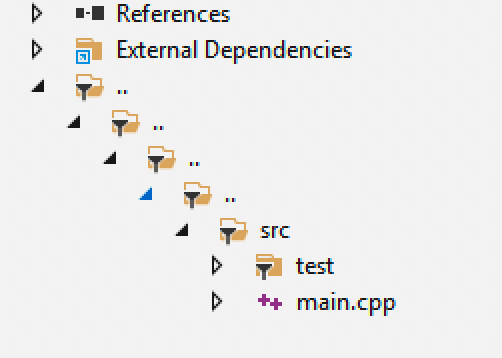 Two main presentation modes are currently supported. - plain: flat mode - tree: tree display, which is also the default mode Also, it supports grouping of files added by `add_headerfiles`. ##### Set the group and specifies the root directory ```lua target("test") set_kind("binary") add_files("... /... /... /... /src/**.cpp") add_filegroups("group1/group2", {rootdir = "... /... /... /... /"}) ``` 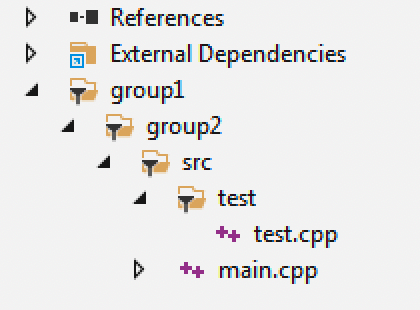 ##### Set the group and specifies the file matching pattern ```lua target("test") set_kind("binary") add_files("... /... /... /... /src/**.cpp") add_filegroups("group1/group2", {rootdir = "... /... /... /... /", files = {"src/**.cpp"}}) ``` ##### Show as flat mode In this mode, all source files ignore the nested directory hierarchy and are displayed at the same level under grouping. ```lua target("test") set_kind("binary") add_files("... /... /... /... /src/**.cpp") add_filegroups("group1/group2", {rootdir = "... /... /... /... /", mode = "plain"}) ``` 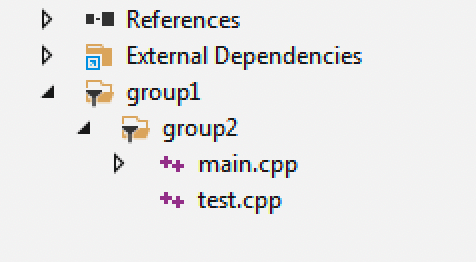 ### target:set_exceptions #### Enabling or disabling exceptions We can configure C++/Objc exceptions to be enabled and disabled via this configuration. Normally, if we configure them via the add_cxxflags interface, it would be cumbersome for the compiler to handle them separately, depending on the platform. For example ```lua on_config(function (target) if (target:has_tool("cxx", "cl")) then target:add("cxflags", "/EHsc", {force = true}) target:add("defines", "_HAS_EXCEPTIONS=1", {force = true}) elseif(target:has_tool("cxx", "clang") or target:has_tool("cxx", "clang-cl")) then target:add("cxflags", "-fexceptions", {force = true}) target:add("cxflags", "-fcxx-exceptions", {force = true}) end end) ``` And with this interface, we can abstract to configure them in a compiler-independent way. Enabling C++ exceptions: ```lua set_exceptions("cxx") ``` Disable C++ exceptions: ```lua set_exceptions("no-cxx") ``` We can also configure to turn on objc exceptions at the same time. ```lua set_exceptions("cxx", "objc") ``` or disable them. ```lua set_exceptions("no-cxx", "no-objc") ``` Xmake will automatically adapt the flags internally to the different compilers. ### target:set_encodings #### Set encodings This is a new interface in version 2.8.2, we can use this interface to set the encoding of source and target files. All supported encodings: utf-8, gb2312 (msvc) By default, just specifying the encoding will work for both the source and target files. ```lua -- for all source/target encodings set_encodings("utf-8") -- msvc: /utf-8 ``` It is equivalent to: ```lua set_encodings("source:utf-8", "target:utf-8") ``` And it only supports utf-8 encodings for now, but will be expanded in the future. If we just want to set the source file encoding or the target file encoding separately, we can do that too. ##### Set source encoding Usually this refers to the encoding of the source file of the compiled code, and we can set it like this. ```lua -- gcc/clang: -finput-charset=UTF-8, msvc: -source-charset=utf-8 set_encodings("source:utf-8") ``` ##### Set the target file encoding It usually refers to the runtime output encoding of the target executable. ```lua -- gcc/clang: -fexec-charset=UTF-8, msvc: -target-charset=utf-8 set_encodings("target:utf-8") ``` ### target:add_forceincludes #### forceincludes This is a new interface in 2.8.2 for forcing `includes` headers directly into configuration files. ```lua add_forceincludes("config.h") ``` It works like `#include