
index.cn.md 4.6 KB
layout: default.cn
title: {{ site.name }}
安装
使用curl
bash <(curl -fsSL https://raw.githubusercontent.com/tboox/xmake/master/scripts/get.sh)
使用wget
bash <(wget https://raw.githubusercontent.com/tboox/xmake/master/scripts/get.sh -O -)
使用powershell
Invoke-Expression (Invoke-Webrequest 'https://raw.githubusercontent.com/tboox/xmake/master/scripts/get.ps1' -UseBasicParsing).Content
简单的工程描述

包依赖描述

官方的xmake包管理仓库: xmake-repo
构建工程
$ xmake
运行目标
$ xmake run console
调试程序
$ xmake run -d console
配置平台
$ xmake f -p [windows|linux|macosx|android|iphoneos ..] -a [x86|arm64 ..] -m [debug|release]
$ xmake
图形化菜单配置
$ xmake f --menu

包依赖管理

支持平台
- Windows (x86, x64)
- Macosx (i386, x86_64)
- Linux (i386, x86_64, cross-toolchains ...)
- Android (armv5te, armv6, armv7-a, armv8-a, arm64-v8a)
- iPhoneOS (armv7, armv7s, arm64, i386, x86_64)
- WatchOS (armv7k, i386)
- Mingw (i386, x86_64)
支持语言
- C/C++
- Objc/Objc++
- Swift
- Assembly
- Golang
- Rust
- Dlang
- Cuda
工程类型
- 静态库程序
- 动态库类型
- 控制台程序
- Cuda程序
- Qt应用程序
- WDK驱动程序
- WinSDK应用程序
内置插件
宏记录脚本和回放插件
$ xmake m -b                        # 开始记录
$ xmake f -p iphoneos -m debug
$ xmake
$ xmake f -p android --ndk=~/files/android-ndk-r16b
$ xmake
$ xmake m -e                        # 结束记录
$ xmake m .                         # 回放命令
加载自定义lua脚本插件
$ xmake l ./test.lua
$ xmake l -c "print('hello xmake!')"
$ xmake l lib.detect.find_tool gcc
生成IDE工程文件插件(makefile, vs2002 - vs2017, ...)
$ xmake project -k vs2017 -m "debug,release"
生成doxygen文档插件
$ xmake doxygen [srcdir]
更多插件
请到插件仓库进行下载安装: xmake-plugins.
IDE和编辑器插件
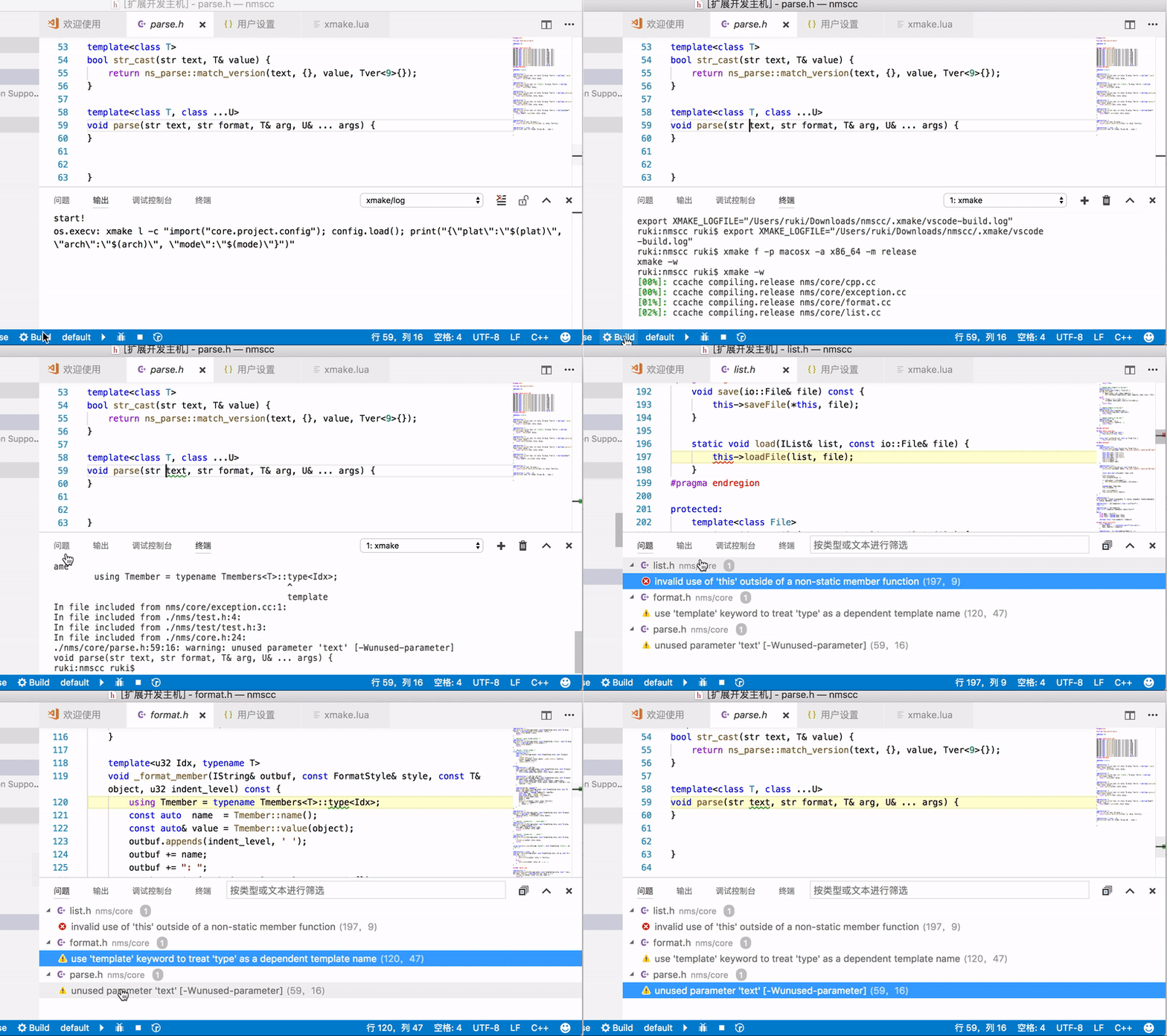
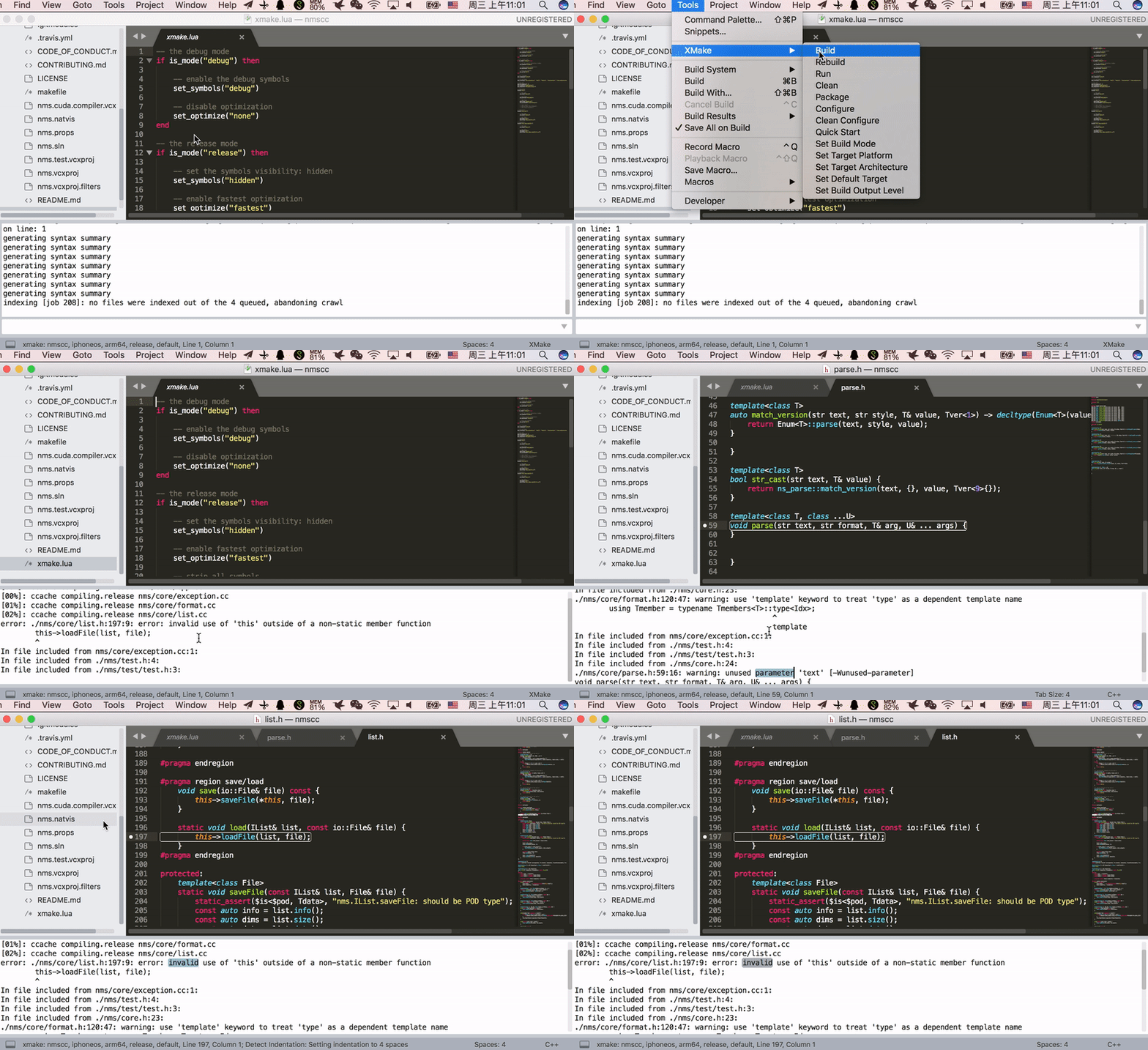
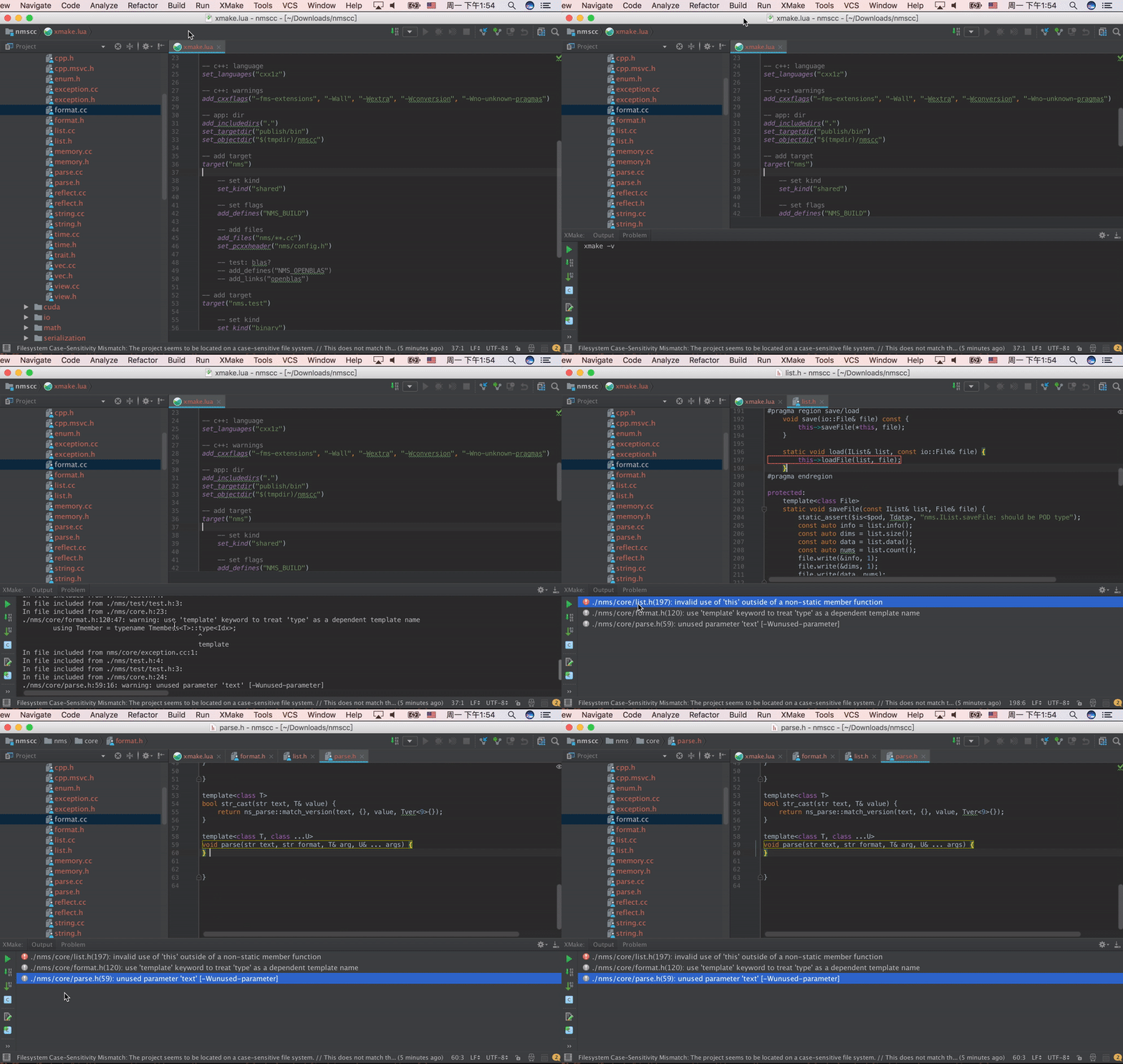
更多例子
Debug和Release模式:
add_rules("mode.debug", "mode.release")

target("console")
    set_kind("binary")
    add_files("src/*.c")
    if is_mode("debug") then
        add_defines("DEBUG")
    end
下载和使用远程依赖包:
add_requires("libuv master", "ffmpeg", "zlib 1.20.*")
add_requires("tbox >1.6.1", {optional = true, debug = true})
target("test")
    set_kind("shared")
    add_files("src/*.c")
    add_packages("libuv", "ffmpeg", "tbox", "zlib")
查找和使用本地已安装的包:
target("test")
    set_kind("shared")
    add_files("src/*.c")
    on_load(function (target)
        import("lib.detect.find_package")
        target:add(find_package("zlib"))
        target:add(find_package("openssl"))
    end)
项目例子
一些使用xmake的项目:
演示视频

联系方式
- 邮箱:[email protected]
- 主页:tboox.org
- 社区:Reddit论坛
- 聊天:Telegram群组, Gitter聊天室
- 源码:Github, Gitee
- QQ群:343118190
- 微信公众号:tboox-os