
🍨 A XMake integration in IntelliJ IDEA
 ruki
ef66f6ac58
update version
ruki
ef66f6ac58
update version
|
4 лет назад | |
|---|---|---|
| clion | 4 лет назад | |
| gradle | 4 лет назад | |
| res | 4 лет назад | |
| src | 4 лет назад | |
| .gitignore | 4 лет назад | |
| CONTRIBUTING.md | 6 лет назад | |
| LICENSE.md | 8 лет назад | |
| README.md | 4 лет назад | |
| build.gradle.kts | 4 лет назад | |
| gradle.properties | 4 лет назад | |
| gradlew | 4 лет назад | |
| gradlew.bat | 4 лет назад | |
| settings.gradle.kts | 4 лет назад |
README.md

xmake-idea








A XMake integration in IntelliJ IDEA
Introduction
A XMake integration in IntelliJ IDEA.
It is deeply integrated with xmake and Intellij-IDEA to provide a convenient and fast cross-platform c/c++ development and building.
And It also support other Intellij-based platform, like Clion, Android Studio and etc.
You need install xmake first and a project with xmake.lua.
Please see xmake-github and website if you want to known more about xmake.
Features
- Quickstart
- Create project
- Project configuration
- Run configuration
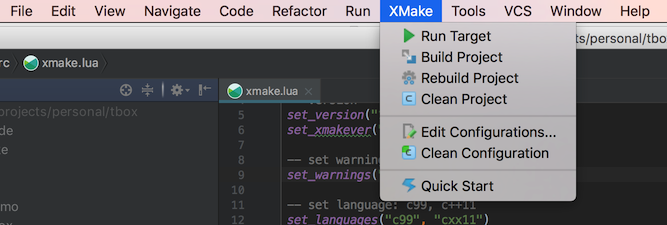
- Menu tools
- Tool windows
- Build and run
- Parse errors and goto file
- C/C++ intellisense
- Debug
Quickstart

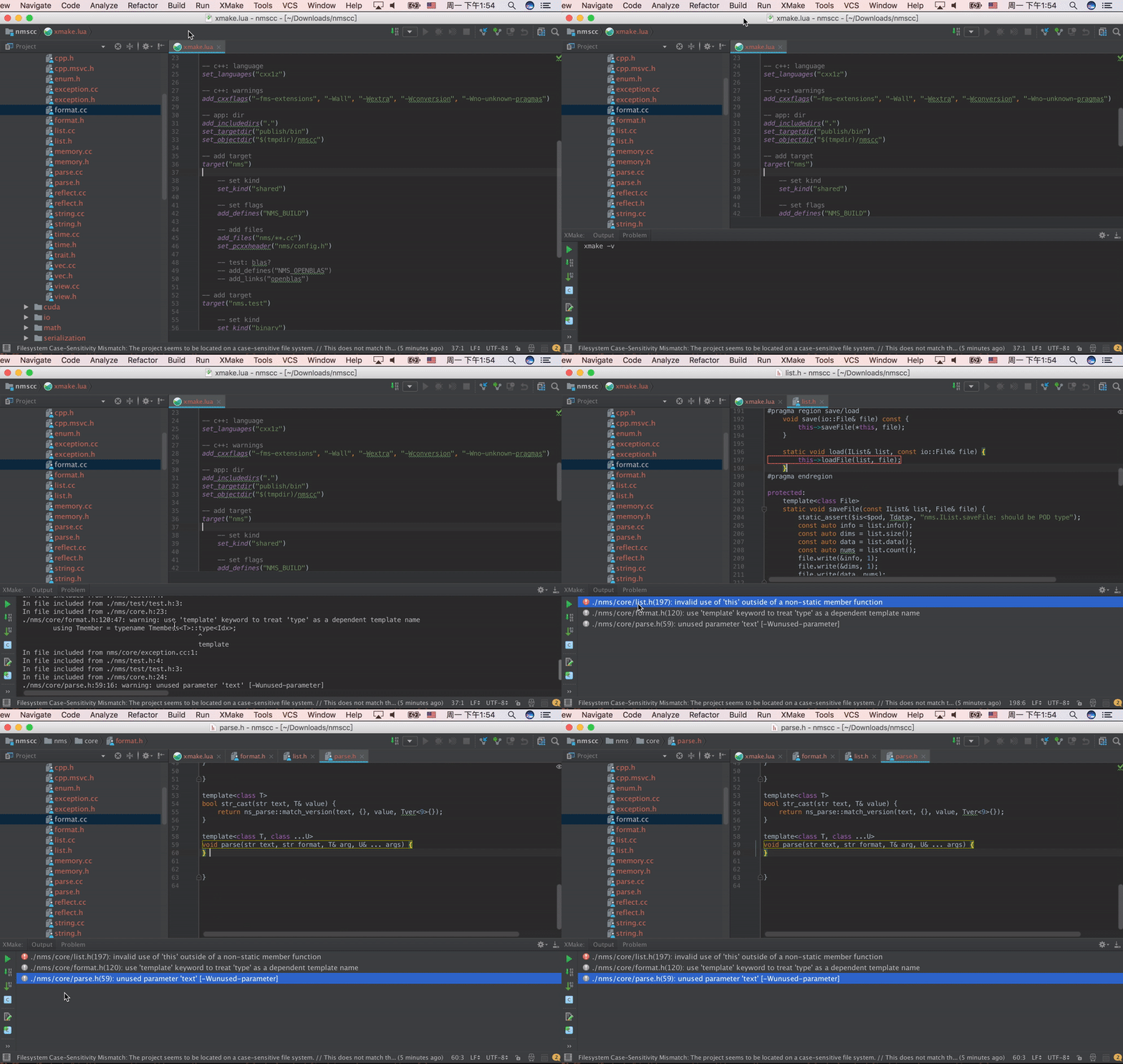
Parse errors and goto file
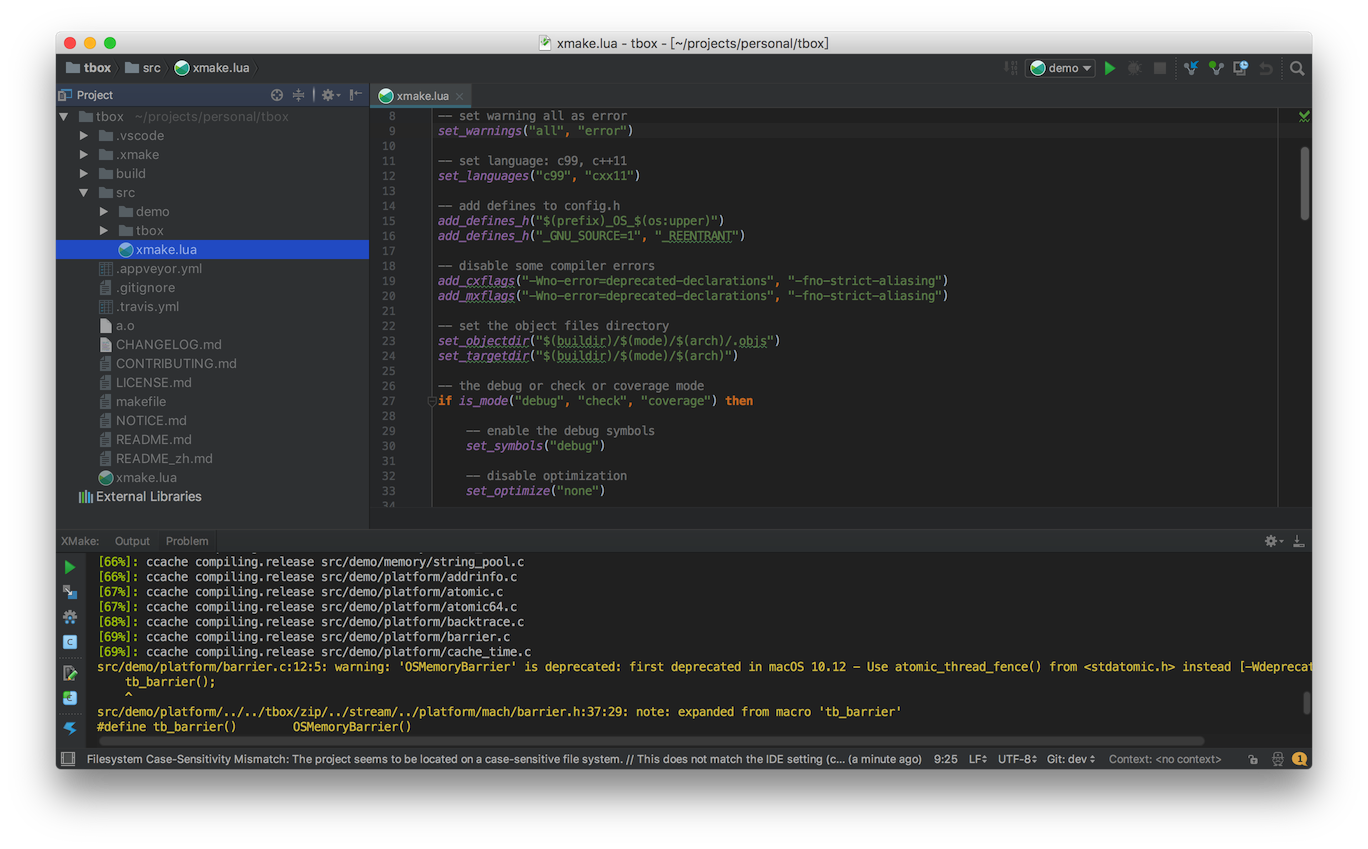
Output panel
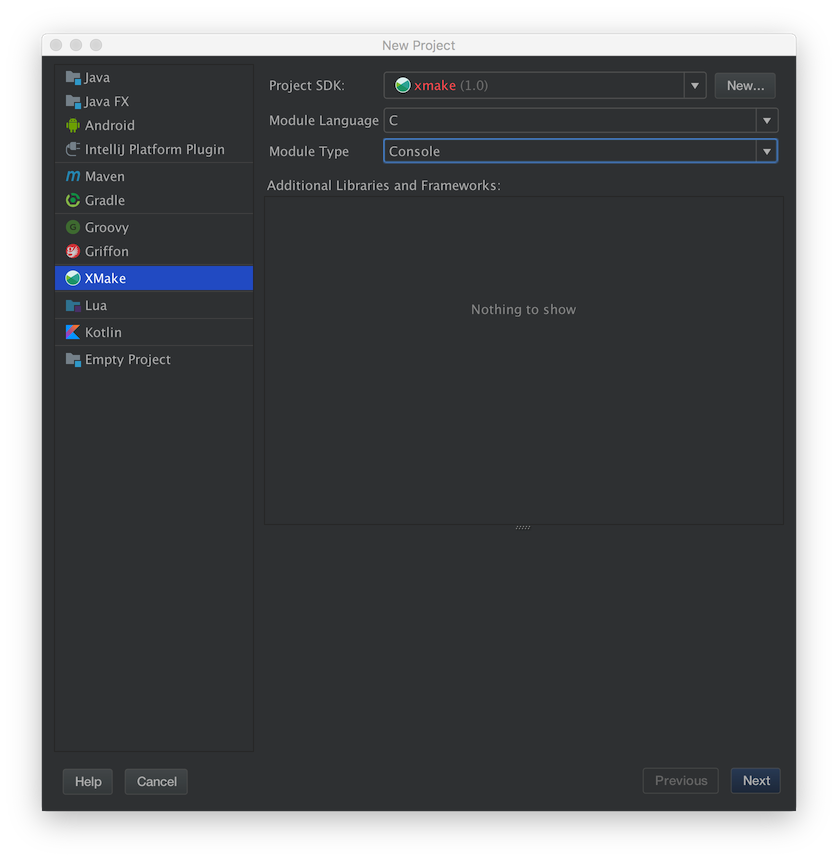
Create project
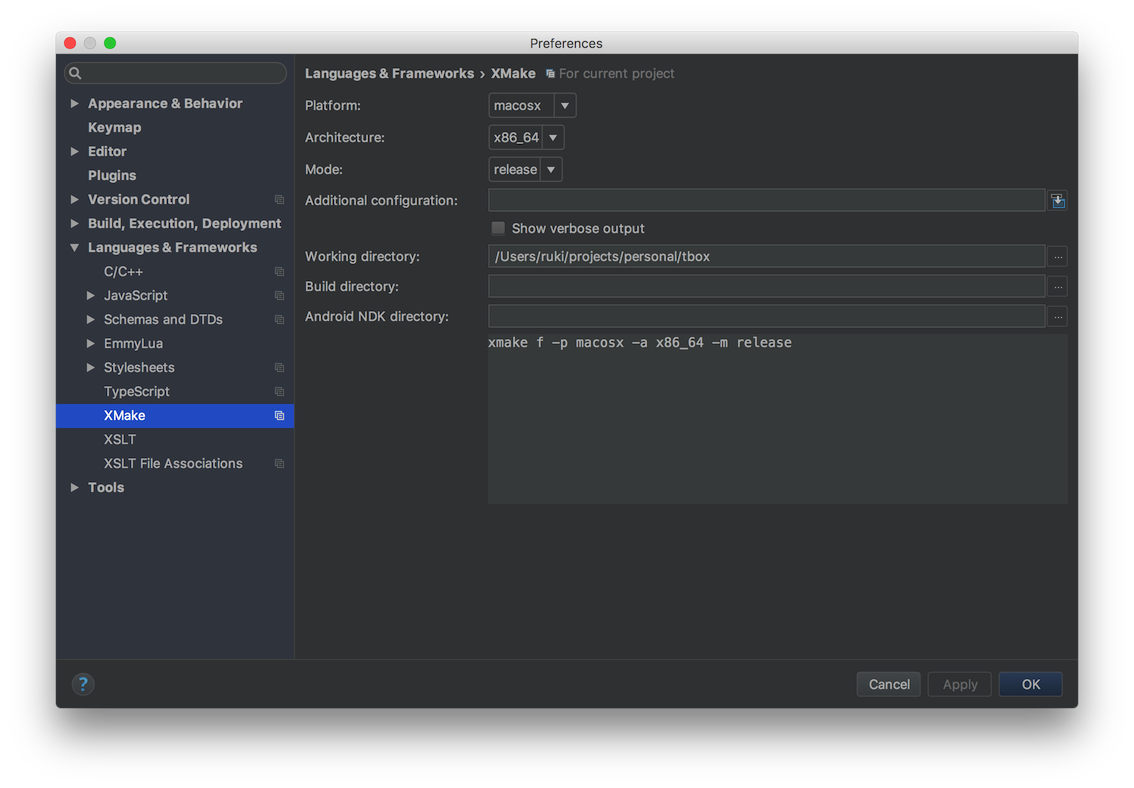
Project configuration
Run configuration
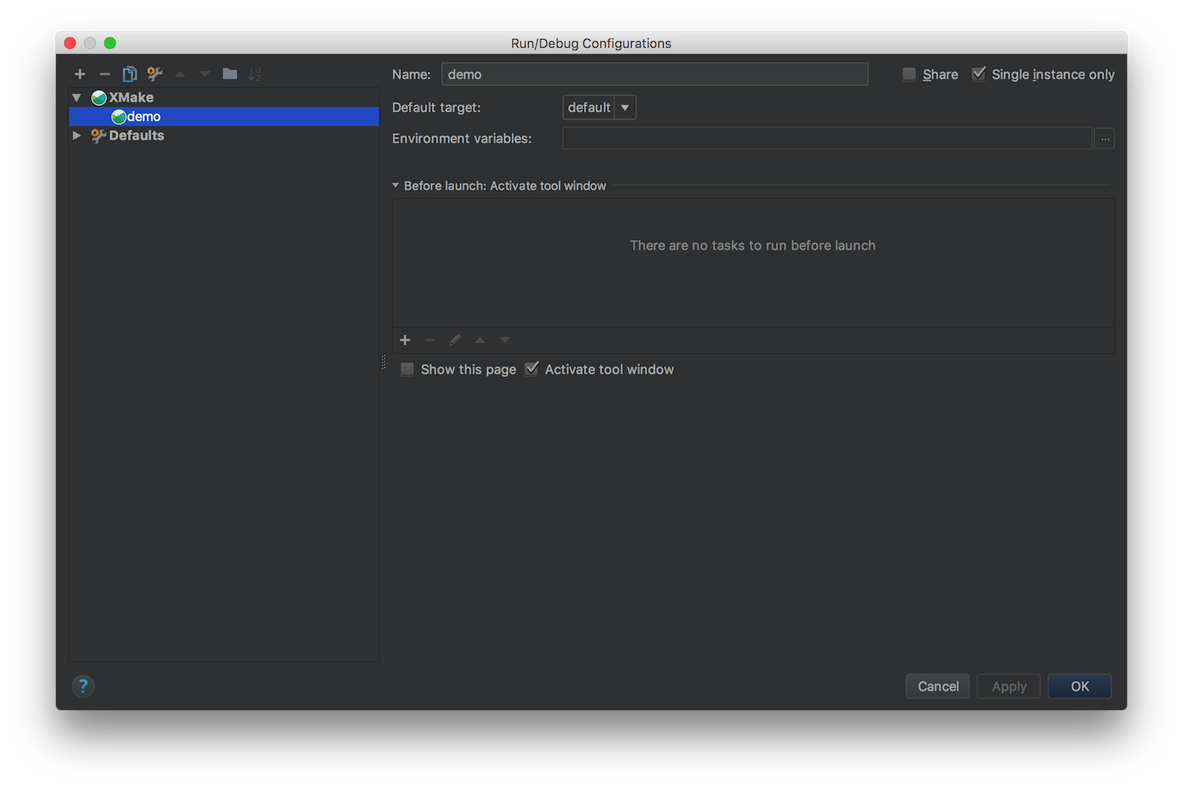
Menu tools
C/C++ intellisense
Only support CLion (>= 2020.1)
- Click "Update compile commands" to create or update "compile_commands.json" file
- Click "File > open..." to choose this file.
Debug
Only support Clion (>= 2020.1)
- Click "Update CmakeLists" to create or update "CmakeLists.txt" file.
- Click "File > open..." to choose this file.
- Choose "Run > Debug..." or "Run > Debug 'project name'" into debug mode.
How to contribute?
Due to limited personal time, I cannot maintain this plug-in all the time. If you encounter problems, you are welcome to download the plug-in source code to debug it yourself and open pr to contribute.
Build this project
Use IDEA Intellji open this project source code, and click Build button.
Run and debug this project
Open and edit Run configuration, and add a gradle run configuration, then write run arguments: runIde --stacktrace and save it.
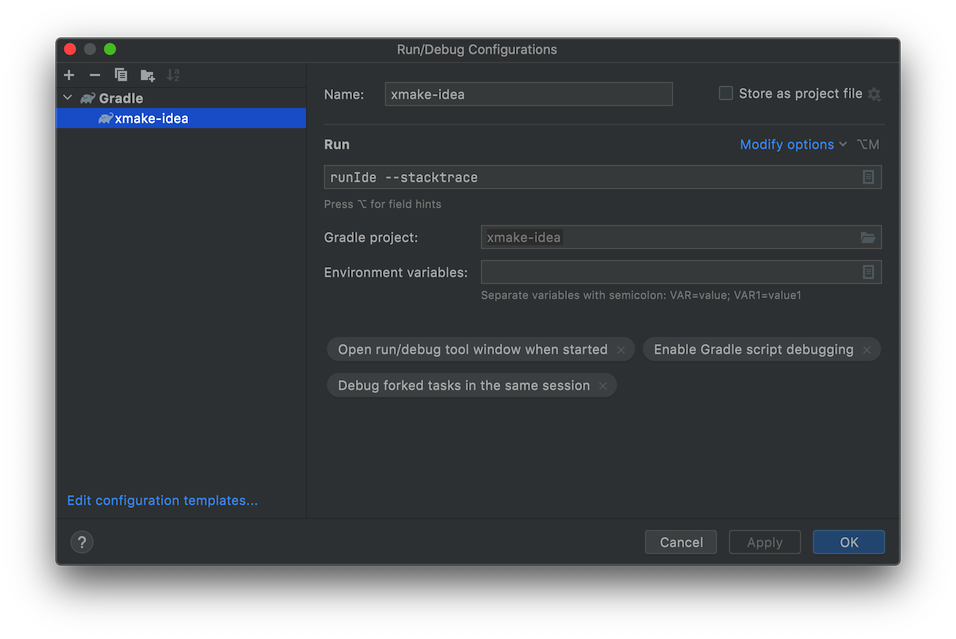
Select this run configuration and click run button to load it.

For more details, please visit: CONTRIBUTING