
🍩 A XMake integration in Visual Studio Code #vscode
 ruki
8aebd1600b
2.5.3
ruki
8aebd1600b
2.5.3
|
3 weeks ago | |
|---|---|---|
| .github | 1 month ago | |
| .vscode | 3 years ago | |
| assets | 1 month ago | |
| languages | 8 years ago | |
| res | 1 month ago | |
| src | 3 weeks ago | |
| test | 1 month ago | |
| .gitignore | 8 years ago | |
| .vscodeignore | 8 years ago | |
| CHANGELOG.md | 1 month ago | |
| CONTRIBUTING.md | 7 years ago | |
| LICENSE | 8 years ago | |
| README.md | 1 month ago | |
| package-lock.json | 3 weeks ago | |
| package.json | 3 weeks ago | |
| package.sh | 1 month ago | |
| publish.sh | 1 month ago | |
| tsconfig.json | 1 month ago | |
| vsc-extension-quickstart.md | 8 years ago | |
| yarn.lock | 2 years ago |
README.md

xmake-vscode









A XMake integration in Visual Studio Code
Introduction
A XMake integration in Visual Studio Code.
You need install xmake first and a project with xmake.lua.
Please see xmake-github and website if you want to know more about xmake.
Features
- Project Management: Create new projects, add files, and manage project structure
- Language Support: Colorization and syntax highlighting for
xmake.luafiles - IntelliSense: Auto-completion for XMake APIs and functions
- Status Bar: Quick access to build configuration and actions
- Command Palette: Full integration with VS Code commands
- Configuration Management: Configure platforms, architectures, toolchains, and build modes
- Build System: Build, rebuild, clean, and package projects
- Run and Debug: Integrated debugging with multiple debugger support
- Problem Detection: Real-time error and warning detection
- Macro Recording: Record and playback command sequences
- File Explorer: Dedicated XMake project explorer with target management
- Task Integration: VS Code tasks support for XMake commands
Quickstart
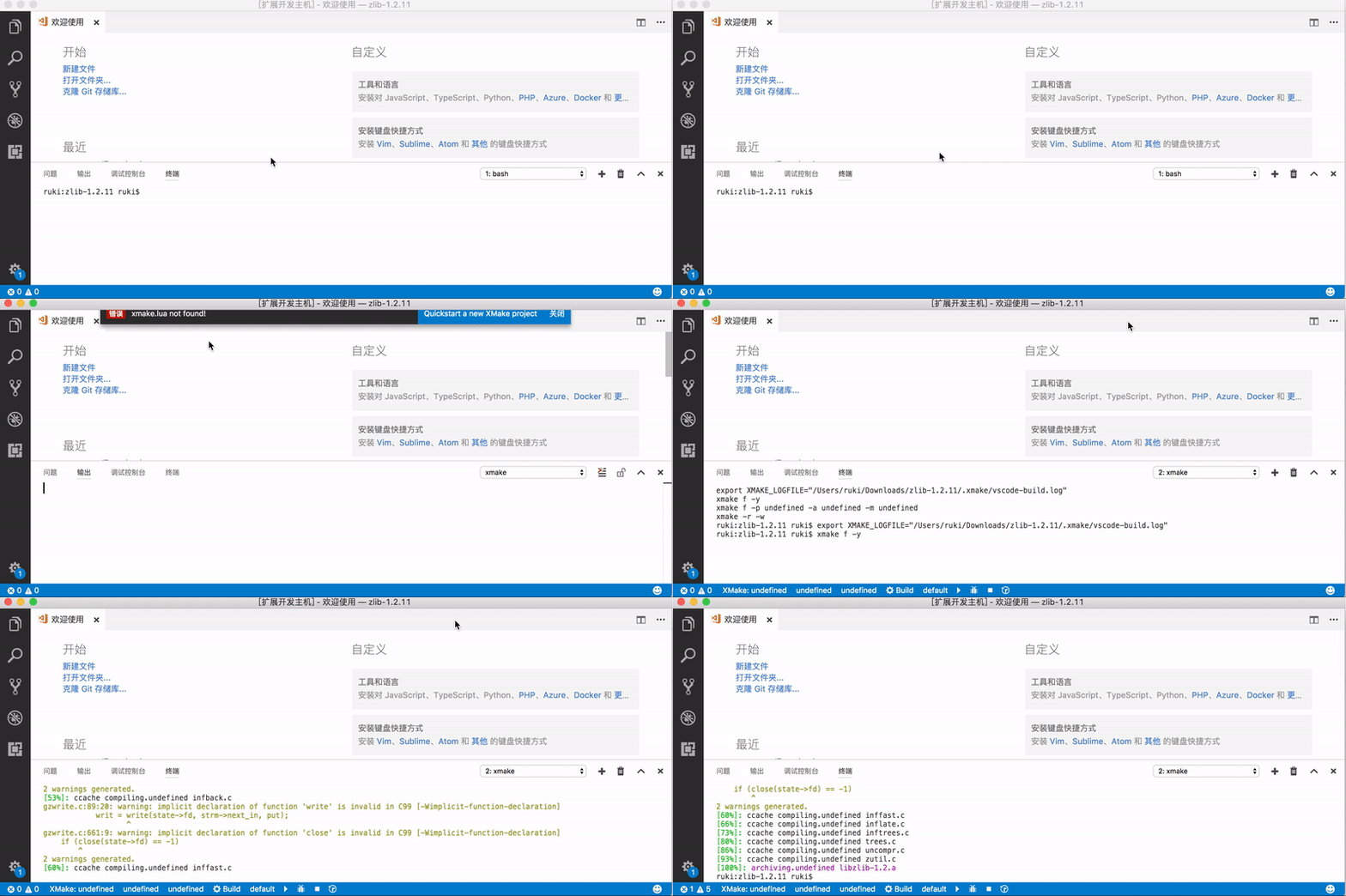
Colorization and Completion Lists

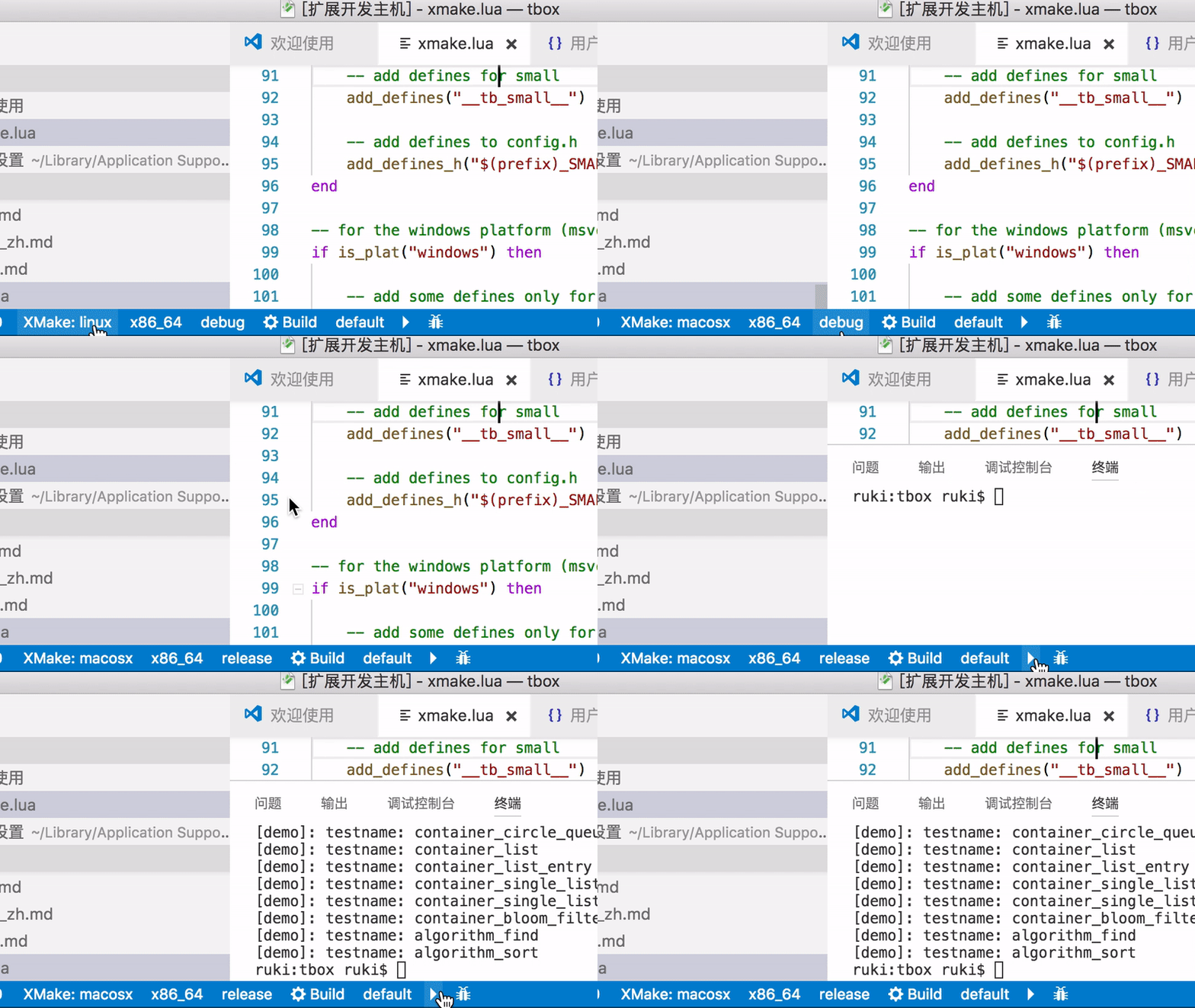
StatusBar

Commands
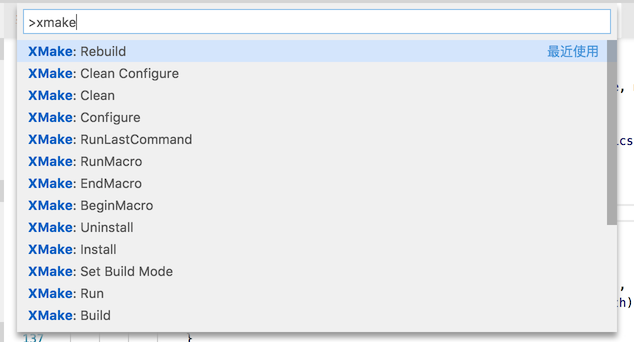
Configuration
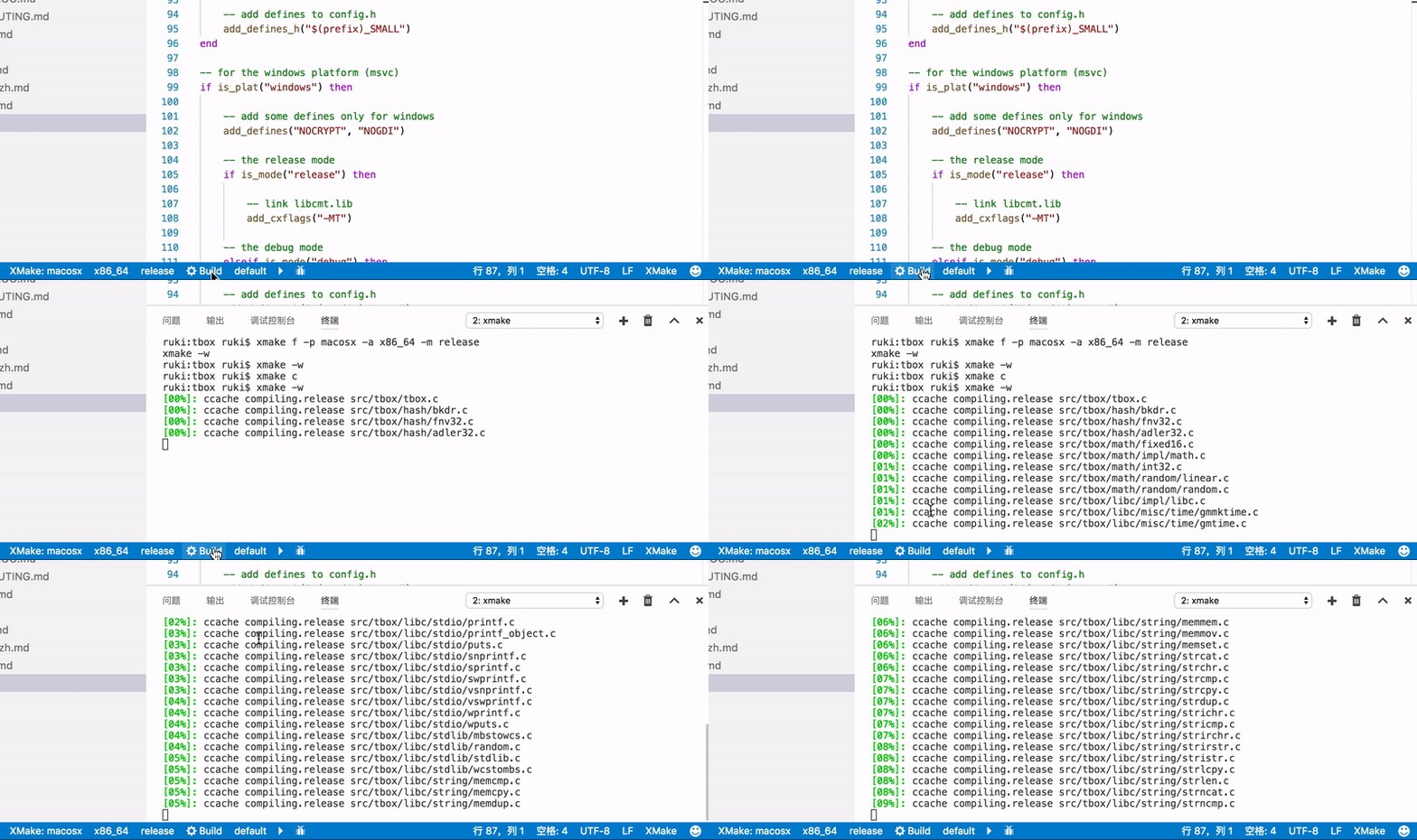
Build
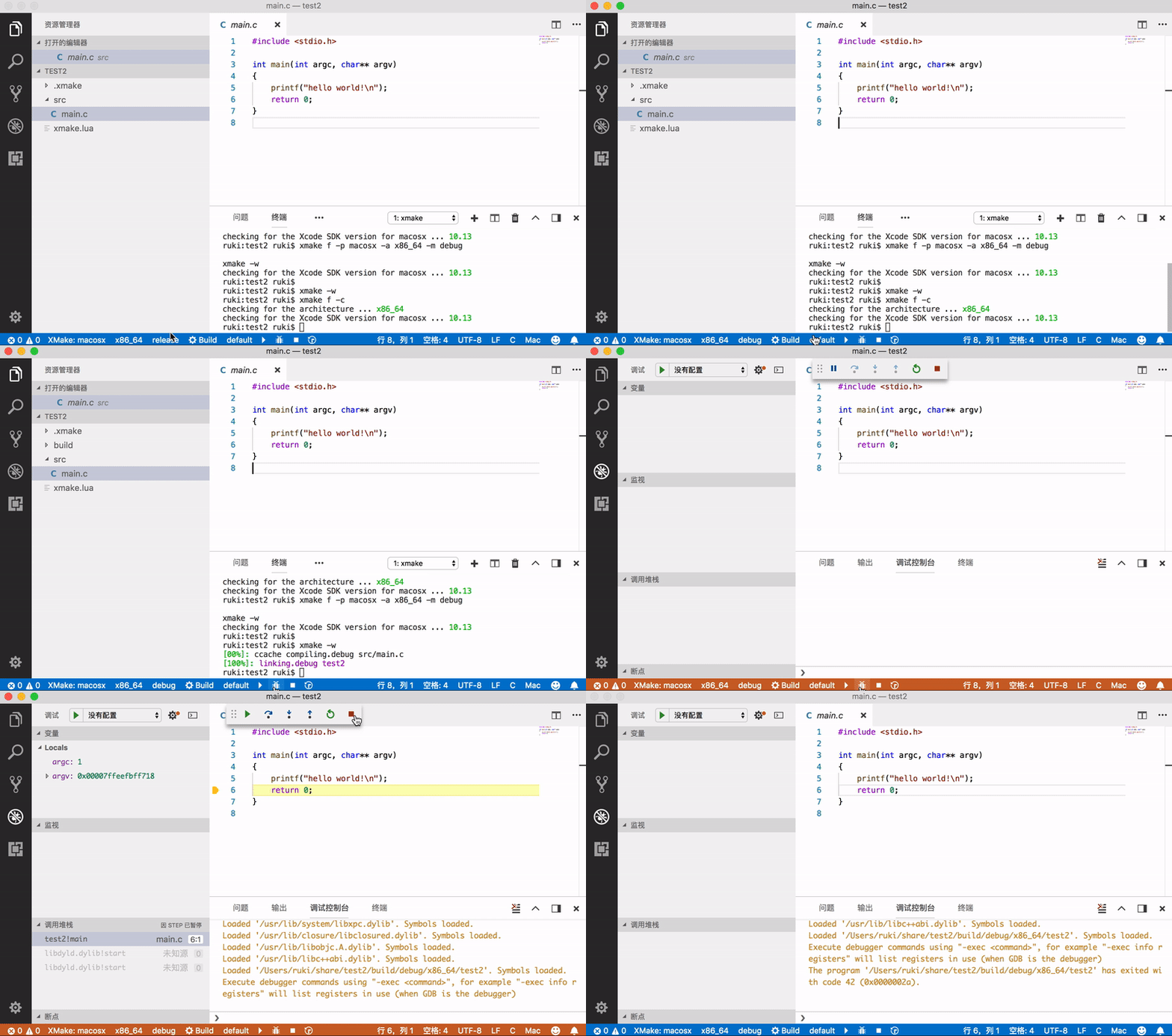
Run and Debug
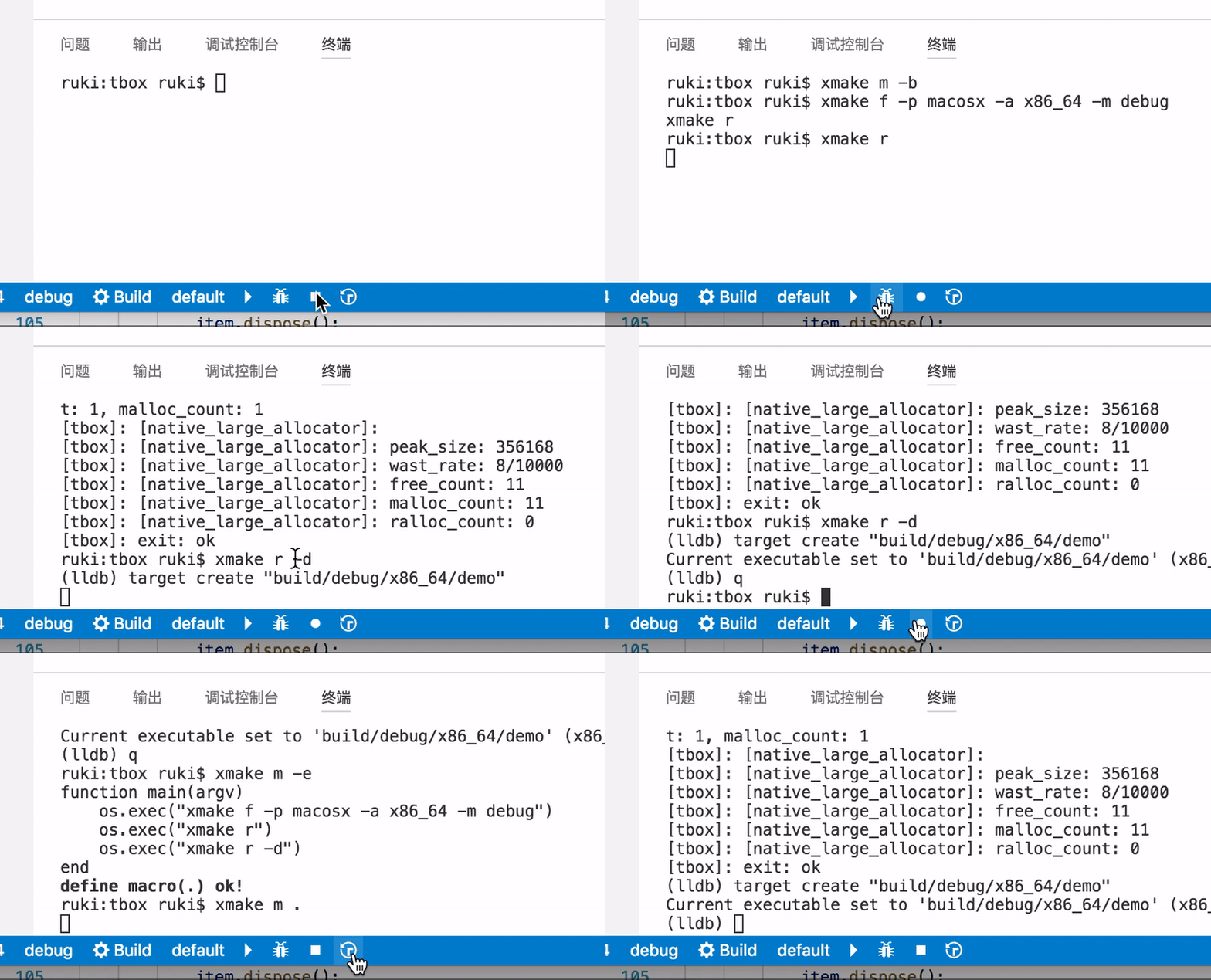
Record and Playback
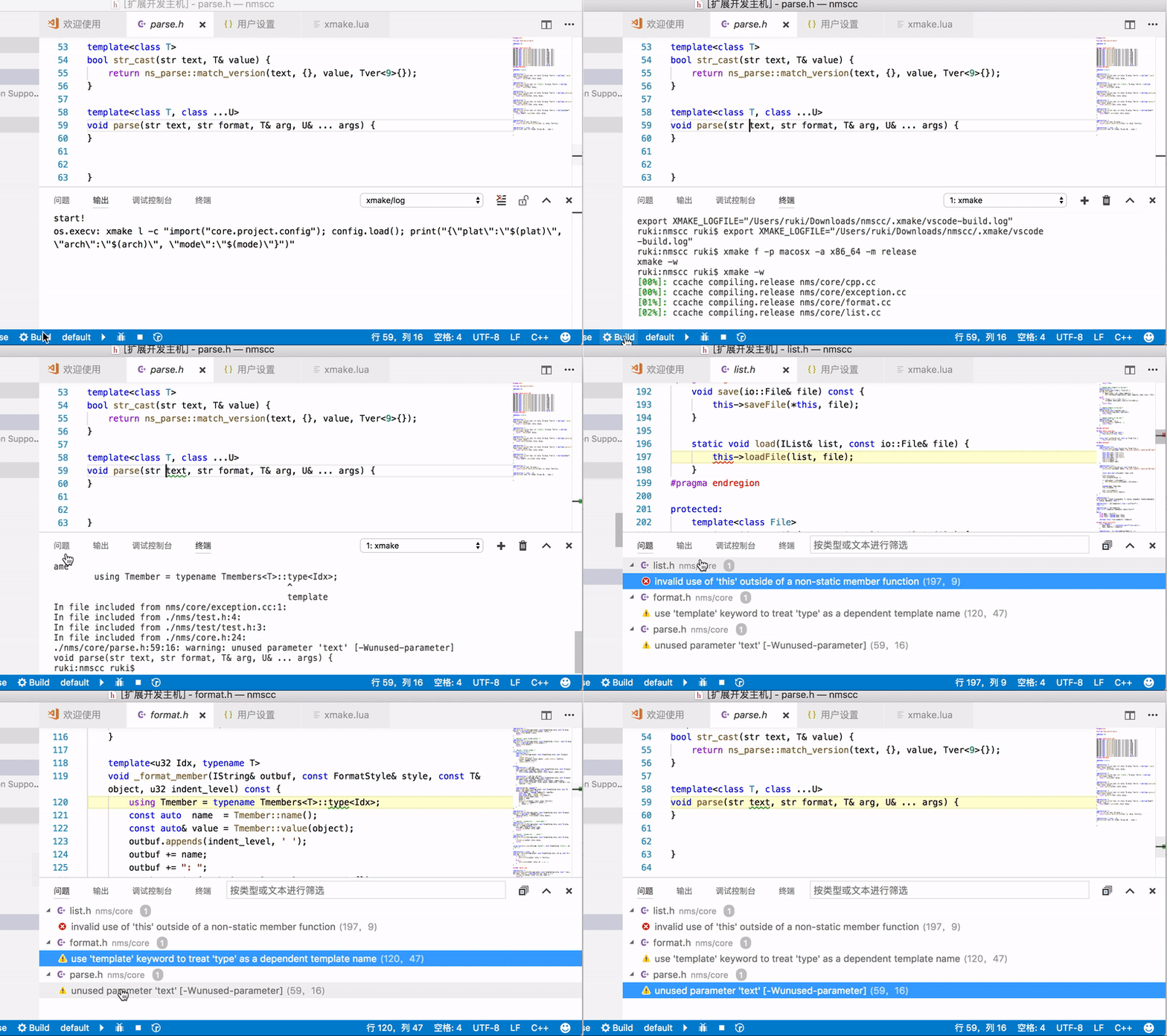
Problem
IntelliSense
xmake-vscode will generate .vscode/compile_commands.json file, so you need only add it to .vscode/c_cpp_properties.json to enable IntelliSense.
Automatic Generation Modes
The extension provides three modes for automatic generation of compile_commands.json:
- onFileChange (default): Generate compile_commands.json when xmake.lua files change
- onBuild: Generate compile_commands.json after building the project
- disabled: Disable automatic generation (manual generation via "XMake: UpdateIntellisense" command is still available)
You can configure this in VSCode settings with xmake.autoGenerateCompileCommands.
for example (.vscode/c_cpp_properties.json):
{
    "configurations": [
        {
            "compileCommands": ".vscode/compile_commands.json"
        }
    ],
    "version": 4
}
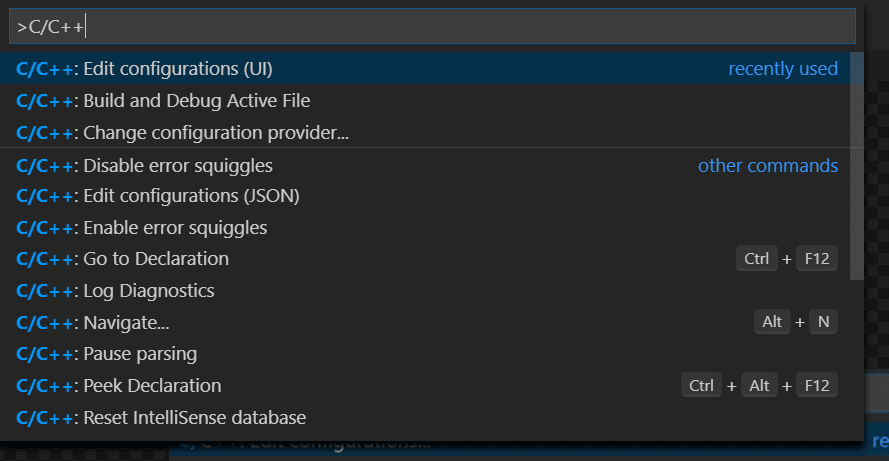
How can I generate c_cpp_properties.json?
These configuration settings are stored in your project's c_cpp_properties.json file. To edit this file, in VS Code, select C/C++: Edit Configurations (UI) from the Command Palette (⇧⌘P):
Please see IntelliSense for cross-compiling
Debugging
Debug via launch configurations (launch.json) is accessible only with Run->Start Debugging (not F5 keybinding) or via Launch Debug command.
| attribute | type | |
|---|---|---|
| name | string | Required. Launch configuration name, as you want it to appear in the Run and Debug panel. |
| type | string | Required. Set to xmake. |
| request | string | Required. Session initiation method:launch or attach. |
| target | string | Required. XMake target. |
| env | object | Additional environment variables. {"PATH" : "some/path"} |
| args | string ❘ [string] | Command line parameters. If not defined args are taken from debuggingTargetsArguments config. |
| cwd | string | If not defined xmake will use the target directory. |
| stopAtEntry | boolean | If set to true, the debugger should stop at the entry-point of the target (ignored on attach). Default value is false. |
| terminal | string | Destination of stdio streams:
|
Example:
{
    "configurations": [
    {
       "name": "XMake Debug",
        "type": "xmake",
        "request": "launch",
        "target": "example",
        "stopAtEntry": true
    }
  ]
}
Configurations related to debugging
Debugger extension
You can choose the debugger extension with xmake.debugConfigType, set it to:
defaultfor cpptools debuggercodelldbfor lldb debugger
Envs behaviour
You can choose the behaviour between xmake envs and envs that are defined in launch.json
For an xmake envs that are like this {"PATH: "path/from/xmake"} and in launch.json
{"PATH": "path/from/config"}.
Default is merge.
- With
xmake.envBehaviourset tomerge, the result is:{"PATH": "path/from/xmake;path/from/config"}. - With
xmake.envBehaviourset toerase, the result is:{"PATH": "path/from/xmake"} - And with
xmake.envBehaviourset tooverride, the result is:{"PATH": "path/from/config"}.
XMake envs will only be replaced for the same key, if another xmake env key is present, it will be present in the final result.
Global Configuration
We can configure them in settings.json
Basic Configuration
{
    "xmake.executable": "xmake",
    "xmake.logLevel": "normal",
    "xmake.buildLevel": "normal",
    "xmake.buildDirectory": "${workspaceRoot}/build",
    "xmake.workingDirectory": "${workspaceRoot}"
}
Advanced Configuration
{
    "xmake.executable": "xmake",
    "xmake.logLevel": "normal",
    "xmake.buildLevel": "normal",
    "xmake.buildDirectory": "${workspaceRoot}/build",
    "xmake.installDirectory": "",
    "xmake.packageDirectory": "",
    "xmake.workingDirectory": "${workspaceRoot}",
    "xmake.androidNDKDirectory": "",
    "xmake.QtDirectory": "",
    "xmake.WDKDirectory": "",
    "xmake.compileCommandsDirectory": ".vscode",
    "xmake.compileCommandsBackend": "clangd",
    "xmake.additionalConfigArguments": [],
    "xmake.runningTargetsArguments": {
        "default": []
    },
    "xmake.debuggingTargetsArguments": {
        "default": []
    },
    "xmake.debugConfigType": "default",
    "xmake.customDebugConfig": {},
    "xmake.envBehaviour": "merge",
    "xmake.enableSyntaxCheck": true,
    "xmake.runMode": "runOnly"
}
Status Bar Configuration
Control which buttons appear in the status bar:
{
    "xmake.status.showProject": false,
    "xmake.status.showXMake": true,
    "xmake.status.showPlatform": false,
    "xmake.status.showArch": false,
    "xmake.status.showMode": false,
    "xmake.status.showToolchain": false,
    "xmake.status.showTarget": false,
    "xmake.status.showBuild": true,
    "xmake.status.showRun": true,
    "xmake.status.showDebug": true
}
Configuration Options Details
| Option | Type | Default | Description |
|---|---|---|---|
| xmake.executable | string | "xmake" | The xmake executable name / path |
| xmake.logLevel | string | "normal" | Log Level: verbose, normal, minimal |
| xmake.buildLevel | string | "normal" | Build Output Level: verbose, normal, debug |
| xmake.runMode | string | "runOnly" | Run Mode: runOnly, buildRun |
| xmake.buildDirectory | string | "${workspaceRoot}/build" | Build Output Directory |
| xmake.installDirectory | string | "" | Install Output Directory |
| xmake.packageDirectory | string | "" | Package Output Directory |
| xmake.workingDirectory | string | "${workspaceRoot}" | Project Working Directory |
| xmake.androidNDKDirectory | string | "" | Android NDK Directory |
| xmake.QtDirectory | string | "" | Qt Directory |
| xmake.WDKDirectory | string | "" | Windows Driver Kit Directory |
| xmake.compileCommandsDirectory | string | ".vscode" | compile_commands.json file directory |
| xmake.compileCommandsBackend | string | "clangd" | LSP backend for compile_commands |
| xmake.autoGenerateCompileCommands | string | "onFileChange" | Automatic generation mode: onFileChange, onBuild, disabled |
| xmake.additionalConfigArguments | array | [] | Additional config arguments, e.g. ["--cc=gcc", "--myopt=xxx"] |
| xmake.runningTargetsArguments | object | {"default": []} | Running targets arguments, e.g. {"targetName": ["args", "..."]} |
| xmake.debuggingTargetsArguments | object | {"default": []} | Debugging targets arguments |
| xmake.debugConfigType | string | "default" | Debug configuration type: default, codelldb, lldb-dap, gdb-dap |
| xmake.customDebugConfig | object | {} | Custom debugging configurations |
| xmake.envBehaviour | string | "merge" | Environment behaviour: erase, merge, override |
| xmake.enableSyntaxCheck | boolean | true | Enable Lua syntax check |
XMake Explorer
The extension provides a dedicated XMake Explorer in the Activity Bar for project management.
Features
- Project Overview: View all targets and their configurations
- Target Management: Build, rebuild, clean, run, and debug individual targets
- Configuration Panel: Quick access to platform, architecture, mode, and toolchain settings
- Context Menu: Right-click actions for quick operations
Explorer Actions
- Build All: Build all targets in the project
- Rebuild All: Clean and build all targets
- Clean All: Clean all build artifacts
- Run All: Run all executable targets
- Configure: Open configuration settings
Available Commands
Access all XMake commands through the Command Palette (Ctrl+Shift+P or Cmd+Shift+P):
Project Commands
- XMake: CreateProject: Create a new XMake project
- XMake: NewFiles: Add new files to the project
- XMake: Show Explorer: Show/hide the XMake Explorer
Configuration Commands
- XMake: Configure: Configure the project
- XMake: Clean Configure: Clean and reconfigure the project
- XMake: Set Target Platform: Set the target platform
- XMake: Set Target Architecture: Set the target architecture
- XMake: Set Build Mode: Set the build mode (debug/release)
- XMake: Set Default Target: Set the default target
- XMake: toolchain: Set the toolchain
Build Commands
- XMake: Build: Build the current target
- XMake: BuildAll: Build all targets
- XMake: Rebuild: Rebuild the current target
- XMake: Clean: Clean the current target
- XMake: CleanAll: Clean all targets
Run and Debug Commands
- XMake: Run: Run the current target
- XMake: BuildRun: Build and run the target
- XMake: Debug: Start debugging
- XMake: Launch Debug: Launch with debugger
Package and Install Commands
- XMake: Package: Package the project
- XMake: Install: Install the project
- XMake: Uninstall: Uninstall the project
Utility Commands
- XMake: BeginMacro: Start recording commands
- XMake: EndMacro: Stop recording commands
- XMake: RunMacro: Run recorded macro
- XMake: RunLastCommand: Repeat the last command
- XMake: UpdateIntellisense: Update IntelliSense configuration
Task Integration
The extension supports VS Code tasks for XMake operations. Create a .vscode/tasks.json file:
{
    "version": "2.0.0",
    "tasks": [
        {
            "label": "XMake: Build",
            "type": "xmake",
            "task": "build",
            "problemMatcher": ["$gcc"],
            "group": {
                "kind": "build",
                "isDefault": true
            }
        },
        {
            "label": "XMake: Clean",
            "type": "xmake",
            "task": "clean",
            "problemMatcher": []
        },
        {
            "label": "XMake: Run",
            "type": "xmake",
            "task": "run",
            "problemMatcher": []
        }
    ]
}
Available Task Types
build: Build the projectclean: Clean build artifactsrun: Run the targetpackage: Package the projectinstall: Install the projectconfigure: Configure the project
Key Bindings
The extension provides the following default key bindings:
| Key | Command | Description |
|---|---|---|
F5 |
xmake.onDebug |
Start debugging (when xmake is enabled) |
You can customize these key bindings in VS Code preferences.
Platform-Specific Configuration
The extension supports platform-specific configuration. You can use platform prefixes in your settings:
{
    "xmake.executable": "xmake",
    "windows.xmake.executable": "xmake.exe",
    "linux.xmake.executable": "/usr/bin/xmake",
    "osx.xmake.executable": "/usr/local/bin/xmake"
}
Supported platform prefixes:
windowsfor Windowslinuxfor Linuxosxfor macOS
Troubleshooting
Common Issues
XMake not found
- Ensure XMake is installed and accessible in your system PATH
- Use
xmake.executablesetting to specify the full path to xmake executable
IntelliSense not working
- Check your
xmake.autoGenerateCompileCommandssetting:- Set to
onFileChangeto generate when xmake.lua changes - Set to
onBuildto generate after building - Set to
disabledand useXMake: UpdateIntellisensecommand manually
- Set to
- Run
XMake: UpdateIntellisensecommand to generatecompile_commands.jsonmanually - Ensure your
.vscode/c_cpp_properties.jsonreferences the correct compile commands file - Check that the C/C++ extension is installed and enabled
Debugging not working
- Verify your
launch.jsonconfiguration has the correct target name - Check that the debugger extension (C/C++ or CodeLLDB) is installed
- Ensure the debug configuration type matches your debugger extension
Build fails
- Check the output panel for detailed error messages
- Verify your
xmake.luaconfiguration is correct - Ensure all required dependencies and tools are installed
Getting Help
- Documentation: XMake Official Documentation
- Issues: GitHub Issues
- Community:
Contributing
Contributions are welcome! Please see CONTRIBUTING.md for guidelines.
License
This project is licensed under the Apache License 2.0 - see the LICENSE file for details.
Donation
If you find this extension helpful, consider supporting the project: