Console
The Console displays information, warnings, errors, and debug output from the Level Editor, the running game, and other engine components. It also lets you interact with runtime instances by sending commands and Lua expressions.
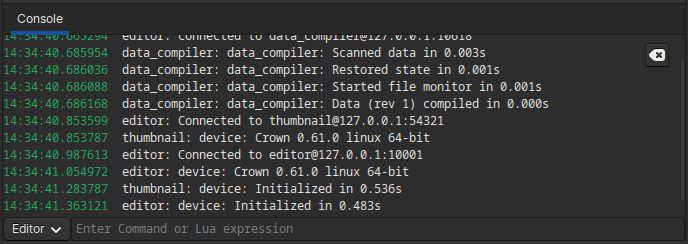
The Console displaying messages from the editor and runtimes.
Runtime connections
Each engine runtime spawned by the Level Editor is connected via TCP/IP, and the Console is the main UI for communicating with those instances. By default the Console is set to communicate with the editor runtime itself. When you start the game from the Level Editor, Crown switches the Console to communicate with the game runtime. You can also select manually which runtime the Console talks to using the runtime selector:

The runtime selector in the Console.
Commands
You can type both commands and Lua expressions in the Command Bar. Use
commands for low-level testing, profiling, or engine configuration. Commands
must be prefixed with a colon (:) so they are distinguished from Lua
expressions. Type :help in the Command Bar to see the available commands.
See Console commands for full documentation.
Lua expressions
You can send arbitrary Lua expressions to the connected runtime. Enter a Lua
expression in the Command Bar and press Enter. The runtime evaluates the
expression and prints the result back to the Console. This is useful for
inspecting state, calling engine APIs, or invoking game code while the game
is running.
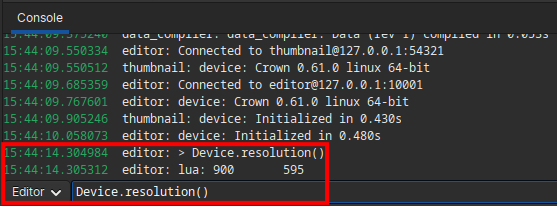
Evaluating a Lua expression in the Console.
Resource ID lookup
For efficiency, Crown runtimes in most cases use hashed numeric identifiers instead of plain-text strings. When the Console detects such numeric IDs, it attempts to resolve them back to readable names so logs are easier to understand:

Automatic resource ID lookup in the Console.